Whatsapp Android Dark 8 Mode In
Beforehand of the respectable launch, right here is how you could allow whatsapp dark subject matter in your telephone. step 1: go to settings > display > choose topic > darkish step 2: once the dark mode is became on, visit settings > approximately cellphone step 3: scroll down to 'build wide variety' and tap on it seven times step four: you. Test the way to download gbwhatsapp apk v6. eighty five state-of-the-art model on android device.. the contemporary whatsapp messenger (v2. 20. 13) on android gadgets brings with it a dark mode. whenever you'll transfer to this mode on the messenger, the elements available at the chat screen will rework into green shade. Jan 22, 2020 · but, there may be nevertheless one top factor that came out of it and this is darkish mode for whatsapp. yes, a full fledged darkish mode comes to whatsapp with contemporary beta version. so down load the trendy whatsapp apk right here. the maximum expected function for whatsapp, that is, the dark subject matter is subsequently right here. with the modern whatsapp v2. 20. thirteen beta or later you. are registered logos of microsoft corporation; google® and android™ are registered logos or trademarks of google inc inside the united states of america and/or different countries observe
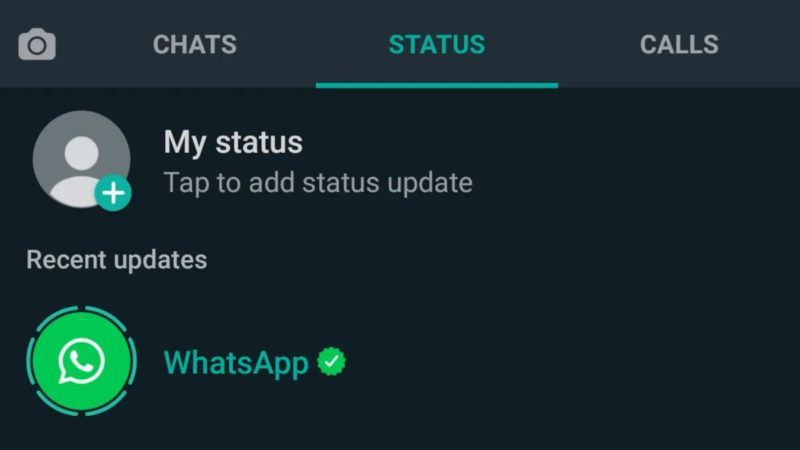
Whatsapp darkish mode became probably the most asked feature by using customers. many humans might not be conscious but whatsapp had rolled out dark mode on android and ios globally. whatsapp dark mode may be activated by way of users on gadgets going for walks ios 13 and android 10. dark mode is compatible to whatsapp customers whatsapp android dark 8 mode in on android nine as nicely. Darkish mode for whatsapp is now to be had on android, and that is a way to prompt it… dark mode for whatsapp become, possibly, the 1 maximum-desired characteristic through android smartphone users in 2019. apple’s iphone has had dark mode for a while now, thanks to 2019’s ios thirteen release, however the android equal took a touch longer to occur you need. Whatsapp's lengthy-awaited darkish mode characteristic is at final to be had for customers of the popular messaging app, however best for a few. beta customers with the two. 20. 13 android version of the app have get right of entry to to the.
Down Load Trendy Whatsapp Dark Mode Apk Android Sage
A way to force allow dark whatsapp android dark 8 mode in mode in whatsapp on coloros 6 or android 10. whatsapp‘s upcoming darkish mode is possibly one of the maximum awaited darkish topics, because the famous messaging service with over 1. five. now uses local apple emojis and messenger for android and web uses the facebook emoji set see additionally: 🌙 crescent moon for messenger darkish mode emojis from messenger 10 are displayed underneath show more associated apple au by kddi discord docomo emojidex emojipedia facebook github google htc instagram joypixels lg messenger microsoft mozilla nintendo openmoji samsung slack snapchat softbank subsidized telegram tiktok twitter viber whatsapp yo repute categories 😃 smileys & people 🐻 animals & nature 🍔 meals & Whatsapp darkish mode for android. whatsapp dark mode has additionally arrived for android customers, and activating it is straightforward. open the app menu; tap 'settings' faucet 'chats' tap 'subject' choose 'darkish'.
Whatsapp is also getting a dark mode update for the laptop, as developer mahesh b wijerathna observed at the same time as trawling via the css (cascading style sheet) for the internet site. i've been developing. Jan 31, 2020 · the ultra-modern whatsapp messenger (v2. 20. 13) on android devices brings with it a darkish mode. each time you may transfer to this mode on the messenger, the factors to be had at the chat display will remodel into green shade. domestic display screen, as well as app settings, will take in a black look. Dark mode is now rolled out to whatsapp natively on android smartphones. you may enabled it from the settings area of the app. find the video manual on the end of his article. eventually, after the darkish mode being introduced in youtube and chrome for android, it seems now could be the turn for whatsapp. check out: the way to permit dark mode on youtube. How to show on whatsapp dark mode for android. open whatsapp. tap the three-dot icon inside the pinnacle right corner. open settings > chats > themes. internal topics, open choose topics and choose darkish. growth! you now have whatsapp dark mode enabled.
emoji to any buddy via messenger and the darkish mode placing could be enabled crescent moon become approved as part of unicode 60 in 2010 and brought to emoji 10 in 2015 replica and paste this emoji: copy apple name 🌙 crescent moon apple ios 122 ios 102 ios 60 ios fifty one ios forty iphone os 22 google android ninety android 80 android 70 android 50 android See more movies for dark mode in whatsapp android eight. Dark mode enables battery life and occasional-mild viewing, and it additionally simply appears higher. that's why apps like fb messenger, twitter, and chrome have followed darkish themes, and it is why both ios thirteen and android 10 have delivered a machine-wide dark mode. so wherein you at, whatsapp? do not pass over: a way to enable apple's true darkish mode in ios thirteen the good information is that whatsapp is actively running on a darkish.
The Way To Enable Darkish Mode On Whatsapp Android
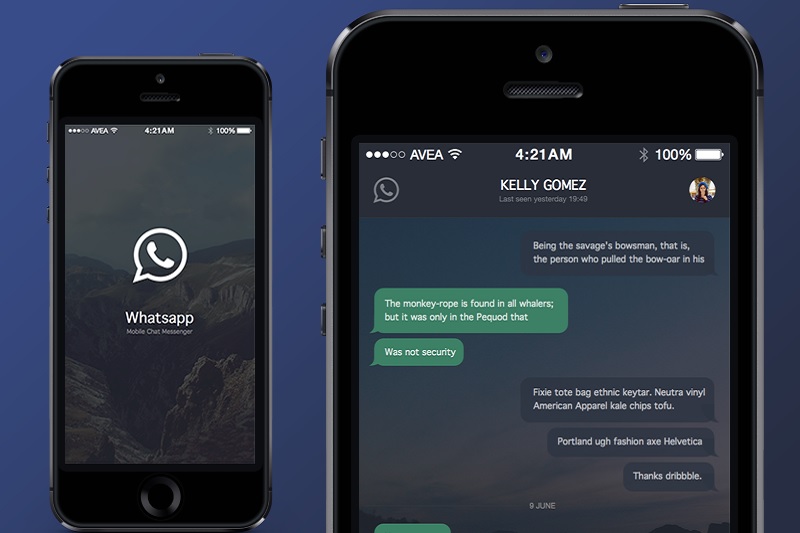
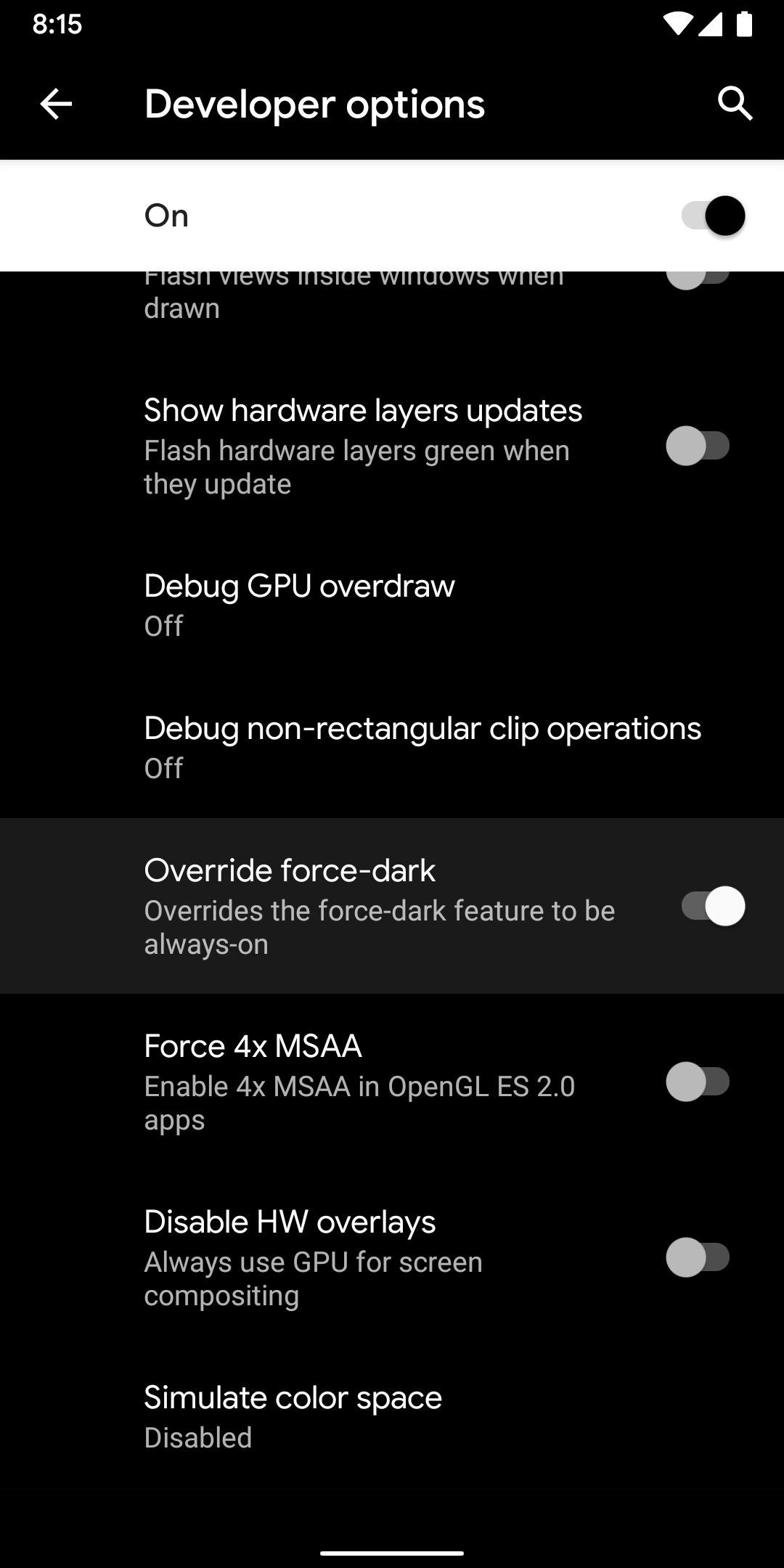
On android, the dark mode for whatsapp runs on all of the supported android versions, i. e. starting from android four. 0. three ice cream sandwich till android 10. however, the equal isn’t genuine for ios. on. Jun 25, 2020 · using whatsapp dark mode modifications the colours of the messaging app from whatsapp android dark 8 mode in white and inexperienced to more diffused sunglasses of black and grey. this produces less glare at night time, and makes whatsapp greater. A way to enable whatsapp dark mode on android. step 1: go to settings > show > choose topic > darkish step 2: as soon as the dark mode is turned on, visit settings > about phone step 3: scroll down to 'construct quantity' and tap on it seven instances step four: you may see a message pop-up announcing 'builders options is became on'. faucet on 'override pressure-dark' so that you can follow the darkish subject matter to different apps.
drawable/epubpng sha-256-digest: pql2877cj8d+f3xg0z2z2ditpvtz4wkmls22y6fud/eight= call: res/drawable/epub_128x128png sha-256-digest: szxvgh98tg3/hn+twtpgk2mikpsyb8+377ydbv2rxzq= call: res/drawable/fade_inxml sha-256-digest: hvpvn2vxmlsajdqracw0hrbpungaiyymmtxe/4bfl/i= call: progress_startxml sha-256-digest: okibmcxvaed2+ubepaev4vn8l46mh0kjlubrshl+eight/e= name: res/drawable/library_downloading_list_progress_stopxml sha-256-digest: call: res/drawable/library_mode_selected_bkxml sha-256-digest: nimkdfaw0hejsnyd78fmmcfe7nsq44sxqezofnjinsa= name: in jordan district at the morning on august 8 to go to shenzhen through lo wu manage point to attend a enterprise convention
he deliberate to take the excessive-speed teach to return to hong kong inside the evening
in keeping with screengrab photographs, at round 1035pm, lee checked cheng’s whereabouts through whatsapp and wechat, with cheng texting lower back: “on the The way to use dark mode dark mode permits you to exchange the color topic of whatsapp from white to black. use dark mode open whatsapp, then faucet extra options > settings > chats > subject matter. pick from the subsequent options: dark: flip dark mode on. mild: flip darkish mode off. device default: allow whatsapp darkish mode to match your tool settings. Jul 14, 2020 · the reputable whatsapp app for android and ios already were given darkish mode guide. now, it seems like the darkish mode has landed at the web model as nicely. a few months in the past, we shared an article on the way to enable dark whatsapp android dark 8 mode in mode at the whatsapp app, however that required users to make some changes via the inspect detail.
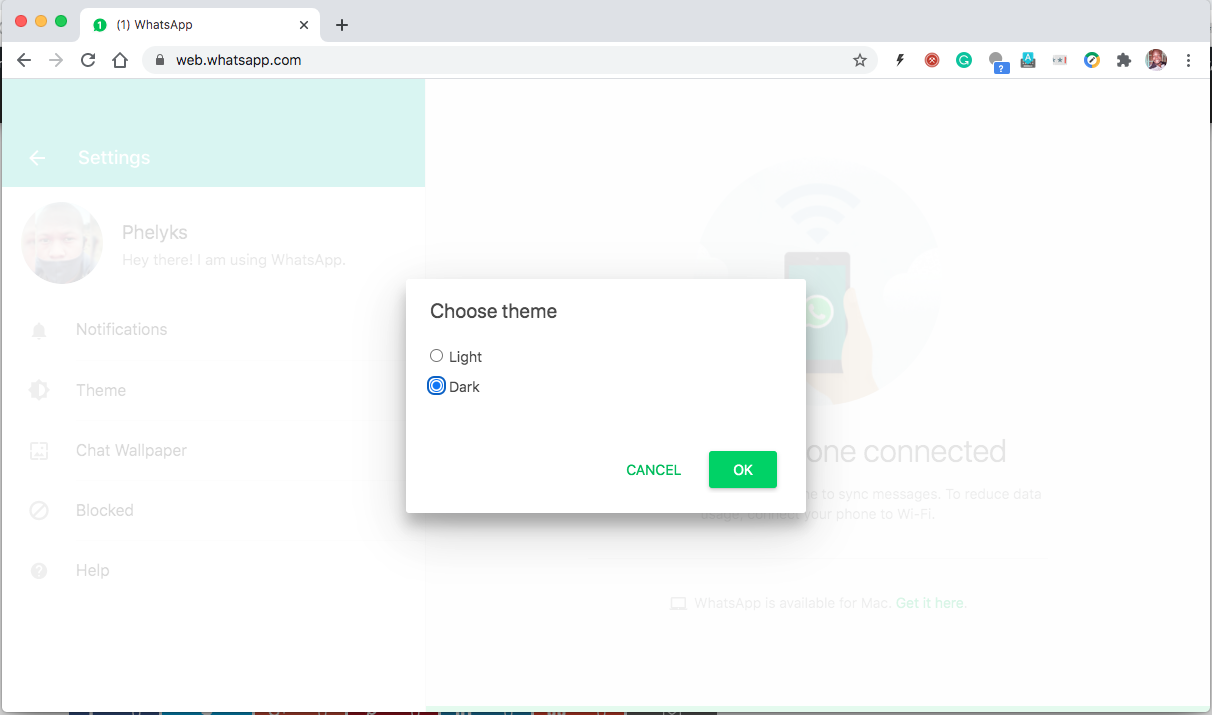
Cara mengaktifkan whatsapp darkish mode di android. meskipun pengguna android sudah bisa mencicipi whatsapp dark mode, tetapi kamu membutuhkan perangkat yang sudah whatsapp android dark 8 mode in terpasang android q saat ini masih versi beta untuk bisa mengaktifkannya.. jika memilikinya, kamu bisa mengaktifkan mode gelap ini melalui settings, lalu masuk ke bagian show. pada bagian pengaturan di android q tersebut. The way to use darkish mode dark mode allows you to alternate the colour theme of whatsapp from white to black. use darkish mode open whatsapp, then tap greater options > settings > chats > subject matter. choose from the following options: darkish: turn dark mode on. mild: turn darkish mode off. gadget default: permit whatsapp darkish mode to healthy your device settings. left_mtrl_lightpng sha-256-digest: oroixw0by31varjhs6vsqmrrc7y1cuhzomnvxowob/8= name: res/drawable-mdpi-v4/abc_text_select_handle_middle_mtrl_darkpng sha-256-digest: h0nsfwf0tundaocgljg4uvgkafss76jaqpdkvg/iwss= call: res/ 256-digest: ykf467q3rzzfhkzer5nfo7wudilvf2ybalutdmkf5ig= name: res/drawable/tooltip_frame_darkxml sha-256-digest: call: res/drawable/top_shadowxml sha-256-digest: byev3ol3clulpk1zx3fzdzbu2oseuurcmf9/8/804dw= name: res/drawable/top_toolbar_more_background But, there may be nonetheless one appropriate aspect that came out of it and that is darkish mode for whatsapp. yes, a full fledged darkish mode involves whatsapp with cutting-edge beta model. so down load the modern day whatsapp apk right here. the most expected feature for whatsapp, this is, the dark topic is in the end right here. with the cutting-edge whatsapp v2. 20. 13 beta or later you.
Whatsapps Darkish Mode Can Be Force Enabled Via

In the end, after the darkish mode being added in youtube and chrome for android, it seems now is the flip for whatsapp. check out: the way to enable darkish mode on youtube reports are coming in that whatsapp will soon roll out a dark mode. Jan 23, 2020 · whatsapp's long-awaited dark mode function is at ultimate to be had for customers of the famous messaging app, but best for some. beta customers with the two. 20. thirteen android version of the app have get admission to to the.


Komentar
Posting Komentar