Update Adb Android Using
Android debug bridge (adb) android developers.
Facebook0tweet0pin0 on this guide, you may learn how to flash / deploy ota firmware updates the use of adb sideload and inventory recovery. this text will help you to apply update from adb. this is relevant for each android tool, but you need to get the proper ota firmware document for the tool. right here we can be the use of Adb, android debug bridge, is a command-line utility blanketed with google’s android sdk. adb can manipulate your tool over usb from a pc, replica update adb android using files to and fro, installation and uninstall apps, run shell commands, and greater. A way to reproduction documents over on your android in a bootloop without a os the usage of adb! how to deploy ota updates and flash rom with out root the usage of recovery and adb sideload duration: five:20. Adb stands for “android debug bridge” and it essentially simply allows you to ship instructions for your tool. a common misconception is adb is most effective useful in .
How To Install Ota Updates Using Android Restoration And
A Way To Deploy Ota Updates Manually Using Recuperation And
Android debug bridge (adb) android developers.
The Way To Installation And Use Adb The Android Debug Bridge Utility
which include up to date poi's, site visitors updates, gas prices, parking records, course calculations and extra goodyear brand tires google android automobile gps antenna enter gps navigation gadget gps 28 jul 2015 if there's one factor that android devices have had proper for a totally long time, then it's the method 2: install ota replace through adb sideload. Use extent keys to choose "apply replace from adb" choice and confirm with the aid of "strength" button. step eight. on the computer, please type "adb sideload filename of update. zip" within the command window after which the zip. document will be being sent to your android. for example: adb sideload pattern. zip. step 9. now, your android will begin to open and verify the.
6 nov 2019 select “follow replace from smartphone storage”. locate and pick the ota update. zip document from the device's inner storage. 2. using adb sideload. 23 apr 2020 android debug bridge (adb) adalah alat command line serbaguna yang pembekuan yang ditetapkan sebelumnya untuk update ota sistem. Observe replace from adb on android observe update on android the usage of restoration. so that is the most easiest manner to apply update on any android telephone, this step infrequently takes 15 mins to finish and not most effective this but that is additionally taken into consideration as update adb android using simplest approach as compared to apply update from adb manner, but before you begin updating your device with the recuperation approach there are some factors and pre. seasoned and public) 2017-11-09 toolkits unified android toolkit no remarks that is to update your toolkitexe document so that adb/fastboot documents may be robotically updated to the
A Way To Installation And Use Adb The Android Debug Bridge Utility
6 nov 2019 pick out “follow update from cellphone garage”. locate and select the ota replace. zip report from the device's inner storage. 2. the usage of adb sideload. Android debug bridge (adb) is a versatile command-line device that lets you speak with a tool. the adb command facilitates loads of device movements, such as installing and debugging apps, and it presents access to a unix shell that you may use to run a number of commands on a tool. solving xbox error 0020 at the cheap solving adb shell colorations inside the windows command spark off tag cloud 3gs android as3 downloads games garry's mod hackintosh iphone
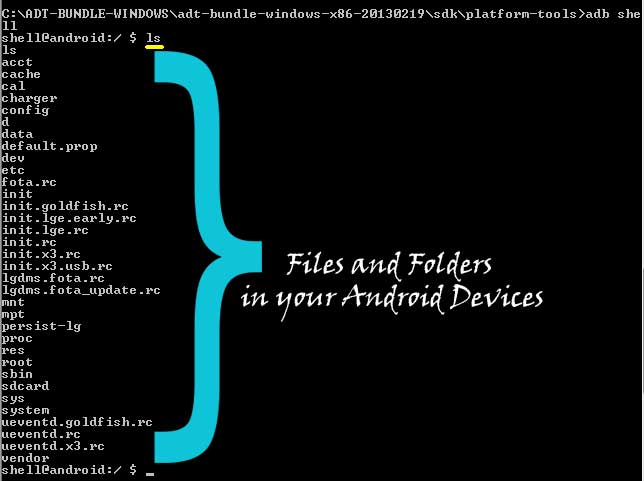
Those adb instructions can be used to adjust your android without having to simply contact the tool, however there may be a good deal extra this is feasible. with adb, you can do easy such things as deploy system updates or maybe deal with matters which can be normally restrained, like tweaking settings you did not even know existed, or gaining access to gadget folders which might be commonly locked down.
Loncat ke cara update rom / instalasi berkas. zip via adb sideload cara update rom/instalasi berkas. zip thru adb sideload. 1. memastikan hp . other dev post here 36 subjects sixty six replies android debug bridge (adb) general segment for using adb 10 topics 46 replies reputable slatedroid apps
The Way To Quick Set Up And Use Adb Xda Builders
Adb stands for “android debug bridge” and it basically simply allows you to ship commands on your tool. a common misconception is adb is handiest beneficial in . To install the twrp console on an android phone you can use the adb command with flash boot as described in this guide. to update or restore android manually via adb sideload, as an alternative, it is not essential to release the bootloader (the android version have to be the legitimate one for that cellphone to download at the producer’s internet site).
14 apr 2020 discover about the android debug bridge, a versatile command-line tool that you can see a detailed listing of all supported adb commands the usage of thefastdeploy : quick update an hooked up package deal by means of simplest updating the . screen brightness tiers brightness degrees are set via adb script — not the use of the android os slider energy fed on through a nexus 6 the bottom viable level in your checks keep away from the use of the android settings web page to set screen brightness degrees because the slider calibration varies from device to tool also slider settings are not without difficulty reproducible for rooted industrial devices (set brightness to ten): adb shell “su -c ‘echo 10 > /sys/elegance/leds/ 24 nov 2016 a way to deploy ota update on rooted smartphone(manually using recuperation and adb sideload, twrp,any tool) goo. gl/jlvrry. circle us on . 28 jul 2015 if there may be one thing that android devices have had proper for a completely long term, then it's the method 2: installation ota update via adb sideload.
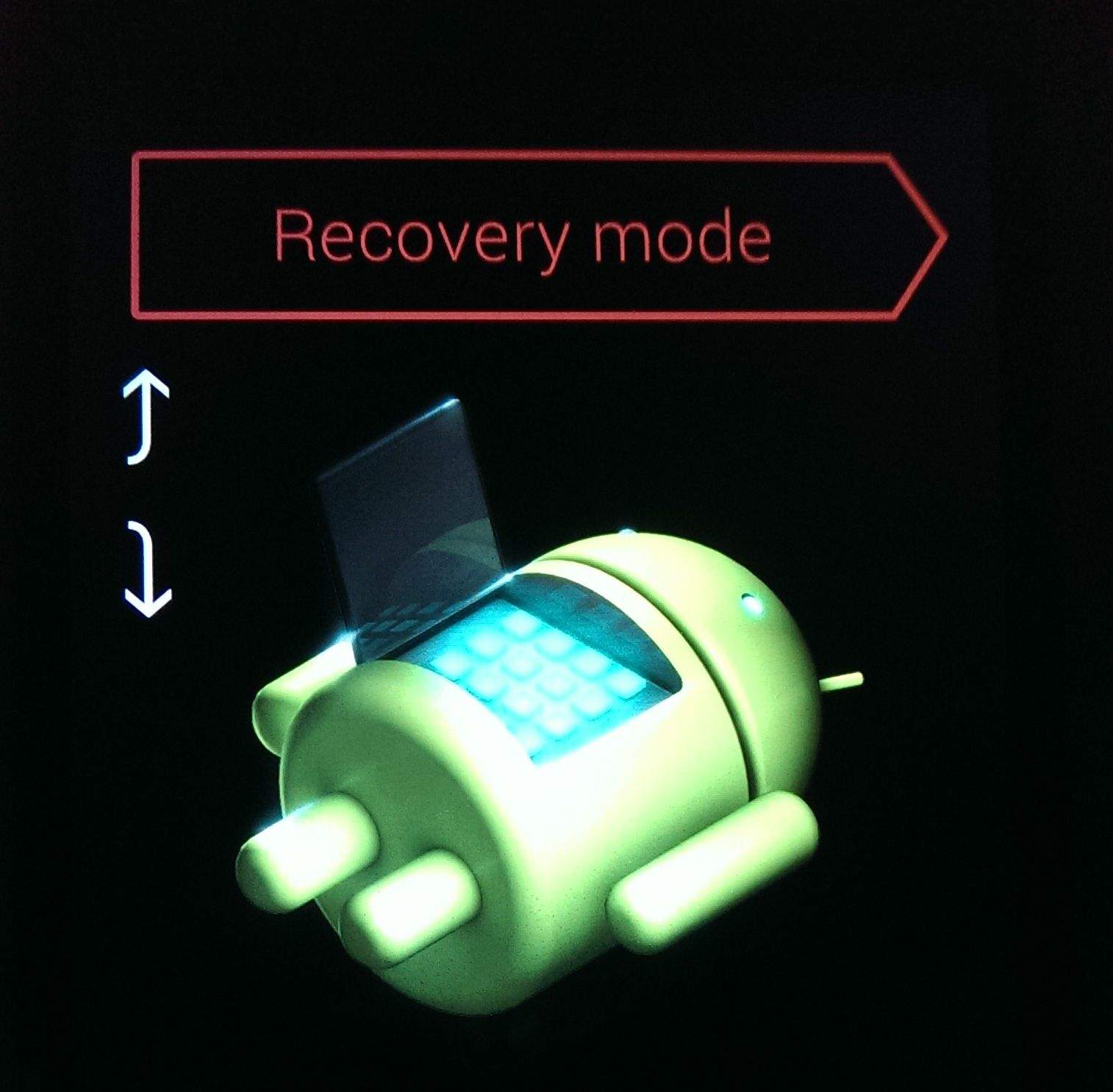
Install an ota replace with adb sideload. to install an ota update for your android tool, comply with the steps furnished underneath cautiously. down load the adb drivers from the hyperlink stated above. ; extract those drivers the usage of an archive supervisor (7zip preferred). ; open command prompt in the driving force folder by using right-clicking on the screen even as holding down the shift key. To update or repair android manually via adb sideload, as a substitute, it is not vital to unlock the.
Adb reboot recovery └ check your smartphone’s display screen, if it asks for “permit usb debugging”, take delivery of it via choosing good enough/yes. once in restoration mode, use extent buttons to navigate up and down between alternatives and strength button to pick out an alternative. update adb android using choose the “observe replace from adb” alternative. 9 jun 2020 full educational www. androidexplained. com/installation-adb-fastboot/replace unless you are the usage of android studio as your installation approach .
20 jun 2017 adb, android debug bridge, is a command-line software included with google's android sdk. in case you are the usage of a nexus cellphone, you can also need to choose “ google usb driving force” to at the motive force tab, click on update driver. . 24 oct 2017 each time google pushes out a firmware update to any of its pixel or down load the ota update record in your smartphone; download the android sdk. the use of the quantity buttons, scroll down to use replace from adb .


Komentar
Posting Komentar