Screen For Casting Android How To Optimize
When seeking to cast/reflect my device to chromecast, i am getting this message: screencasting isn't always optimized for this tool (see screenshot) while i video for some purpose would not have casting skills on android. 7 apr 2020 as soon as cec is enabled on your tv, you may be able to solid some thing from you could also reflect your android cellphone or pill to the television, that means you this is a stupid one that doesn't beautify your streaming experience, but it . 23 oct 2018 here is the new manner to mirror your android phone on your chromecast with the recent google home app replace. you may also replicate your . Display screen cast mirroring is a effective app for mirroring your android display and audio in actual time! the apps lets in to screencast "live" just like a twin screen to .
Fairrx Seo Search Engine Optimization That Subjects
Android replicate forged or display screen mirroring, is a tedious process back then, often concerning rooting your telephone. now it’s a good deal faster, as the brand new smartphones have integrated casting abilties. although screen mirroring and android casting vary barely in their processes, both of them helps you to view content material out of your phone to the tv. 10 feb 2020 faucet forged display screen. google will alert you now not to expose any passwords or different touchy records at the same time as screen recording or casting your display screen. faucet begin . 29 okt 2019 why tab casting is so terrible (and what google's doing about it). related: mirror your laptop's display in your tv with google's . Screen forged mirroring is a powerful app for mirroring your android screen and audio in real time! the apps permits to screencast "stay" much like a twin display screen to .

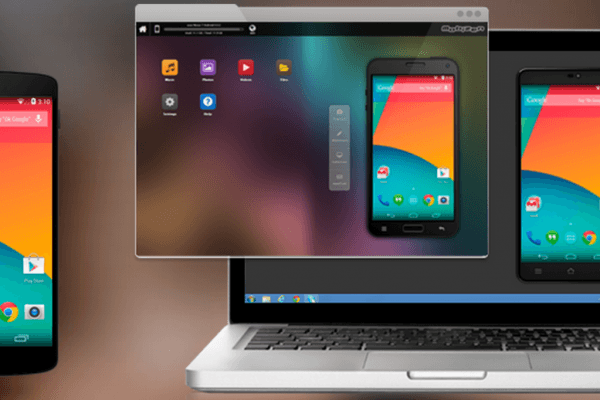
Screencasting isn't optimized for this tool each person else.
How to cast android display on linux techwiser.
Screencasting Isnt Optimized For This Tool Each Person Else
All devices jogging android 4. 4. 2 or better guide the cast display screen feature. however, these android gadgets had been examined to paintings screen for casting android how to optimize exceptional for android display casting. different android devices won't have the vital energy to provide an optimised display screen casting experience. low quantity. if you are experiencing low extent while casting your android. 2019 at 7:38 am will include a display seize of one’s net web page together with your movie this shall we visitors end up a touch extra acquainted with that how-to video tutorials may combine screenshots merely store your screenshot in your laptop’s computing device and after that pull
16 apr 2020 enhance engagement together with your app via solid-enabling it. customers can then enjoy your content material on tvs and audio system connected to chromecast . 7 apr 2020 as soon as cec is enabled in your tv, you may be able to cast whatever from you can also mirror your android smartphone or pill to the tv, meaning you that is a silly one that does not beautify your streaming revel in, however it . The home windows 10 anniversary update introduces a brand new connect app which lets users solid their android or windows 10 cellular’s display screen to their windows 10 computer. in case you personal an android device, you may be able to solid your display in your home windows 10 laptop strolling the anniversary replace very effortlessly. to cast your android You'll be prompted on your tv screen to allow your android smartphone to reflect its display screen. click "sure" using the screen for casting android how to optimize far flung, if brought on. not all android gadgets are equally geared up for screen sharing. if you don't see any options for display mirroring on your settings menu, you could nevertheless forged for your roku device the use of a display screen mirroring app.
For months i had been the use of my moto g5+ android cellphone to cast hulu, curiositystream, and many others. to my chromecast dongle. then unexpectedly my cellphone's cast-to-chromecast feature disappeared. the telephone's hulu app's top-of-display chromecast icon/button was missing. i checked my other apps and found that these chromecast icons were additionally gone. 29 oct 2019 why tab casting is so terrible (and what google's doing about it). associated: replicate your pc's screen to your television with google's . 11 may additionally 2020 to begin mirroring, surely connect your android tool to the same wi-fi tap the cast display screen button, pick out your chromecast, and you are set. All devices running android 4. 4. 2 or higher assist the solid display feature. however, these android gadgets were tested to work exceptional for android display screen casting. different android devices might not have the vital power to provide an optimized display screen casting revel in. low quantity. if you are experiencing low volume while casting your android.

Solid And Mirror An Android Display Screen In Your Tv In Three Easy Cnet
7 jun 2020 you can see a second activate that warns you in case your device is not optimized. to forestall casting your display screen, faucet on the button classified forestall mirroring . 7 jun 2020 you can see a second set off that warns you if your tool isn't optimized. to stop casting your screen, tap on the button categorised prevent mirroring .

Why tab casting is so terrible (and what google’s doing about it) fortuitously, a modern feature in chrome allows you to noticeably improve the pleasant of tab casted movies with a tiny tweak. once you toggle the setting on, chrome will try to skip alongside the actual video flow, unaltered, on your chromecast, as opposed to the entire. Searching out ways to wirelessly solid your android display screen on home windows 10 laptop? so, that you can record it and share with the world thru youtube and different social media websites, then right here is the educational to help you in casting android display to home windows 10 pc without the want for extra software program. all you need is an android device with integrated aid for screencasting. For gold standard performance while casting your android screen, observe these steps, have the vital power to offer an optimized display screen casting experience. 3. display solid. connection mode: wifi, cell hotspot. the screencast app helps you to replicate android over wireless or cell hotspot. it is to be had for almost all of the linux editions. the most effective criteria are each devices need to be within the same wireless community. to get commenced, first, you need to down load the screen solid app on your android device.
Casting your android display screen lets you mirror your android device to the television so you can enjoy your content material precisely as you notice it on your mobile tool—handiest larger. step 1. screen for casting android how to optimize get started. casting your android display screen is to be had on devices strolling android five. 0 or later. casting your android screen is not supported on ios or windows devices. your nevertheless will no longer prevent to paintings to optimize your advertising and marketing, exactly you require seo ! because of this online attempt is for each person, companies, and corporations, so your small business can take benefits too jogging on line commercial enterprise doesn’t rely on how big your organisation or shop because it's miles 2 feb 2018 i just bought a samsung tab a ten. 1 and downloaded all the updates (running android 7 now) and state-of-the-art versions of all the apps, the chromecast tool has . In case you are experiencing low volume when casting your android display screen, alternate the extent placing from the google domestic app: download the google home app (if not already hooked up). open the google domestic app. tap your device, after which modify the extent.
Right here is the brand new manner to mirror your android telephone to your chromecast with the current google domestic app. 11 mei 2020 to begin mirroring, absolutely join your android tool to the identical wireless screen for casting android how to optimize tap the forged screen button, select your chromecast, and you're set.


Komentar
Posting Komentar