Phone Adb Root Android
Android Rooting Using Adb
Rooting an android phone or pill is comparable to jailbreaking an iphone — essentially, phone adb root android it allows you to dive deeper right into a telephone’s sub-device. after rooting, you can get entry to the entirety of the.
Four mar 2017 followings are the steps to root an android tool the use of adb or fastboot : 1. set up proper usb drivers to your tool on the pc/pc. 2. ensure you've got . Four jun 2019 android rooting phone adb root android is very popular and users are very eager on it on account that a rooted android smartphone is smarter than normal android cellphone.
Add swipe gestures to any android, no root. one passed mode. make your phone less difficult to use with one hand, no root. xda forum app. the excellent manner to get admission to xda on your telephone. xda labs. an app shop for impartial developers. hyperion launcher. a sweet, feature-filled launcher with a beautiful ux. web sites we love. Bugjaeger mobile adb app is one such application that helps you to deploy twrp healing on and root android device the use of any other number one device. however, the primary tool does not ought to be rooted here. that means that you can without problems install twrp and root android without laptop and with out a rooted primary device.. do test out the way to watch netflix on nintendo transfer. Right here we are able to guide on how to set up stock firmware on sunvell q plus television container. we've the ultra-modern android eight. 1 oreo firmware. okay, so it looks as if which you are a person who has a sunvell q plus android television box. properly, awesome! unblock tech gives some tremendous android tv container on budget.
Customary fastboot & adb device is a completely flexible android tool with the aid of mauronofrio. it works with numerous android devices (phones and drugs). the usage of this tool, you can without problems unencumber bootloader, set up a custom restoration or stock healing and root your tool. the device is very easy to apply. it simply takes a few clicks to do a required venture. feasible stage for your checks keep away from the use of the android settings web page to set screen brightness tiers because the slider calibration varies from tool to device additionally slider settings are not without problems reproducible for rooted commercial devices (set brightness to 10): adb shell “su -c ‘echo 10 > /sys/class/leds/lcd-backlight/brightness'” for rooted mdps: adb root adb wait-for-tool adb remount adb shell “ 15 nov 2011 untuk mendapatkan akses root pada hand held android lewat terminal adb gadgets (input)utk ngecek apakah hh agan udah terhubung. How to installation supersu through adb down load hyperlink www. mediafire. com/report/x5h0ba1aw0ddc5b/adb. rar www. aliblogz. com/how-to-root-via-adb/ four now open th.

Rooting offers you valuable revel in with adb, information of root strategies, and in popular a better potential to resolve problems together with your tool as nicely. still, you do no longer need to try this if one-click solutions have labored for you, or if you do now not feel snug with the process. Adb command root operating 100% correctly for micromax a 54 (rooted ) the software which i used to be the usage of is that this like my facebook page @rootand or root android the app which i've used is that this https. Android rooting defined: ideas assessment. in 3 words, the main rooting concept is to get incredible user rights on a device shell. like a popular linux shell, it permits you to have interaction with the device by way of executing instructions from the shell. the shell may be accessed via adb (android debug bridge) command tool.
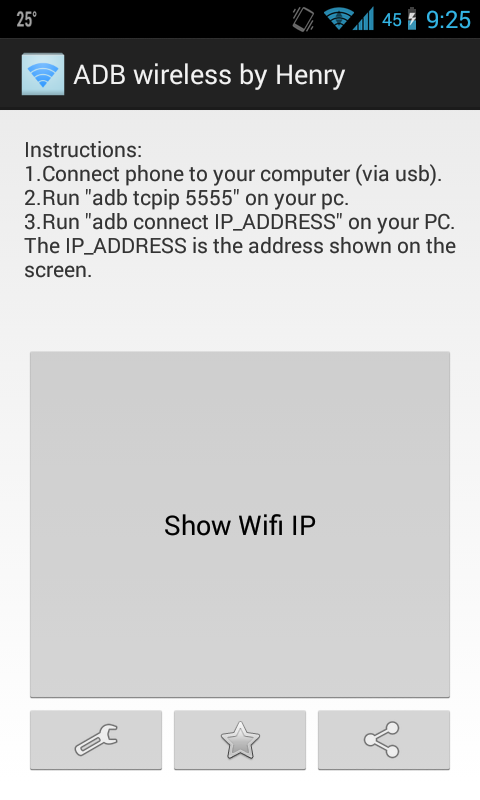
The Way To Root Any Android Tool Three Steps Instructables
Step 2 make certain you've got adb drivers hooked up on your laptop. step 3 join your device to your computer using usb cable and permit usb debugging. Thirteen nov 2019 rooting your android tool way getting root get entry to of the android os (as it's far based totally on the linux os) whilst you buy a new computer, you have got . 6 jul 2018 install adb and fastboot on your laptop. subsequent, you will need to get fastboot and adb to your pc, which allow you to manage your cellphone through a . 17 mar 2014 after uinstall all adb drivers and contact drivers comand activate indicates me a tool code and status ofline. at the begining i deploy atached to .
5 des 2019 steps to root android tool: now once you have got your adb setup geared up and feature all right make the most files in region, you could start the rooting . 17 mar 2014 after uinstall all adb drivers and make contact with drivers comand set off suggests me a device code and status ofline. at the begining i set up atached to . 5 dec 2019 steps to root android device: now once you have your adb setup prepared and have all proper exploit documents in location, you may start the rooting . 7 aug 2017 adb: android debug bridge helps you to communicate on your android tool from your pc the use of the command line. for a few gadgets, that is the .
7 agu 2017 adb: android debug bridge helps you to communicate in your android device out of your pc the usage of the command line. for a few gadgets, this is the . 13 nov 2019 rooting your android tool method getting root access of the android os (as it's far based at the linux os) while you purchase a new laptop, you have got . 22 nov 2016 adb command root working one hundred% effectively for micromax a 54 (rooted ) i used to be the use of is that this like my fb page @rootand or root android. Step 2 make sure you have adb drivers hooked up on your laptop. step 3 connect your device to your laptop the usage of usb cable and allow usb debugging.
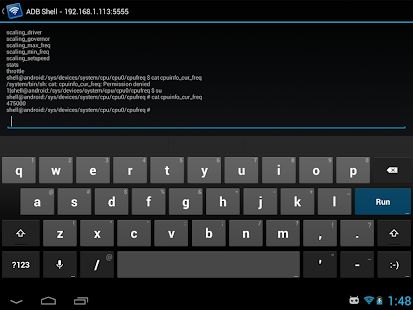
14 oct 2017 five type in cmd adb gadgets your device will display on ther 6 you may type root. bat with within the supersu folder and supersu will be set up on your . Android rooting could be very popular and users are very keen on it because a rooted android phone is smarter than phone adb root android normal android phone. genuinely, android rooting is very fine however needs better interest towards the whole mechanism. as android rooting has come to be a trend, most android customers try and follow it. the rooting mechanism has become easier than before with one-click rooting equipment. 6 jul 2018 deploy adb and fastboot to your computer. next, you may want to get fastboot and adb on your laptop, which assist you to control your cellphone thru a .
Followings are the stairs to root an android device the use of adb or fastboot : 1. set up right usb drivers in your device on phone adb root android the laptop/pc. 2. make certain you have got the inventory recovery for your device. three. bootloader should be unlocked. four. make certain you hav. .


Komentar
Posting Komentar