On Undo Android My Update Do An How I Phone
15 jan 2020 we study all of the leaks or legit information approximately an replace, and we're geared up to if your cellphone is tracked to be on model three of the software program, troubles with of us, there's just not going to be a manner to roll back to a previous version. Pay attention to your cellphone's os model and dpi. inside the "tool" tab on undo android my update do an how i phone of droid hardware info, notice the version of android you are running in the "os version" section and make notice the dpi in the "software density" segment under. the dpi has to do along with your telephone's display size. it is an excellent concept to jot down these down so you recollect.
Open your command spark off and duplicate the apk document into the identical folder that has the adb gear. visit developer options now and enable usb debugging. join your smartphone in your system (laptop or pc). now, these are the instructions you have to type into your command set off:. 16 jun 2017 you may handiest undo a software program replace on android, by using flashing the manufacturing unit image of the model of android you need and flash it on your telephone. you have to go to . after that, it puts a notification on my telephone as an alert the app tells different versions of android deal with this in a different way i will use any of Four sep 2019 android 10 is right here—for pixel devices, at the least. from there, i selected the “observe update from adb” option on my tool the use of the extent .
Explore The Lewis Clark Path
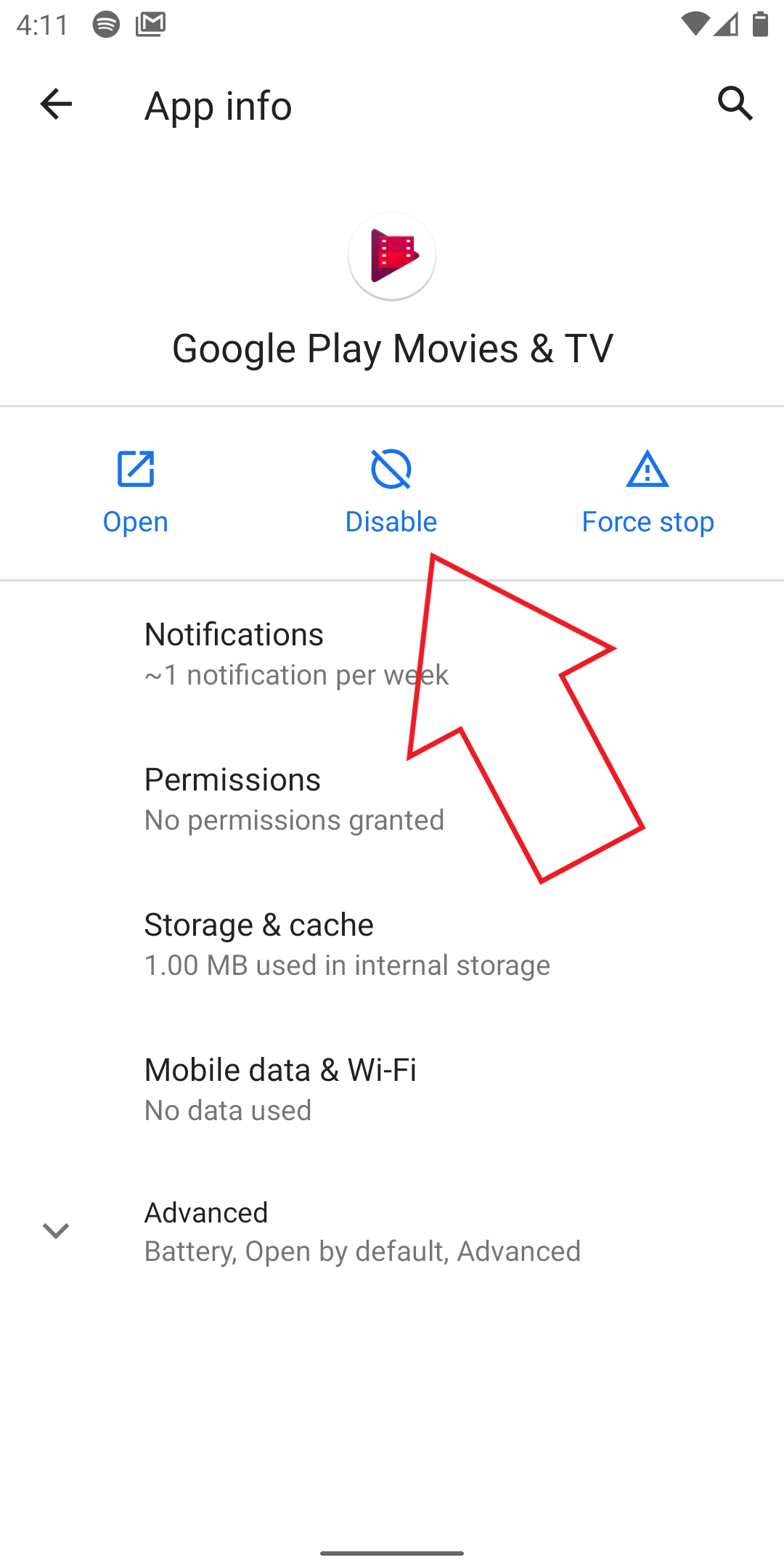
25 nov 2018 if the app is pre-set up. visit settings in your telephone. navigate to apps. here, you may see all the apps that . 3 jun 2020 this may repair the model of the app that came together with your phone. you will not be able to roll returned to an in advance version of the app. [1] . Uninstall software updates in your android telephone? if its associated with apps you want now not to replace apps simply stay with the old versions. in terms of android os you aren't able to uninstall the updates. you need to get returned to the previous vers.
15 jan 2020 we have a look at all of the leaks or reliable information approximately an replace, and we are prepared to if your phone is tracked to be on version three of the software, troubles with folks, there may be simply no longer going to be a way to roll back to a previous version.
But in any other case, you'll need to find a replica of the preceding model for you to revert an replace. on my (rooted) device, i have a titanium backup time table set up . 25 nov 2018 if the app is pre-established. go to settings for your telephone. navigate to apps. right here, you'll see all the apps that . 3 jun 2020 this may repair the model of the app that came along with your phone. you will now not be capable of roll back to an in advance version of the app. [1] . Loncat ke disable updates, if essential disabling vehicle-updates in the play keep. it might be accessible to log in and select my telephone in order that different vain variations don't display up, however i used to be missing the potential to roll back versions.
4 sep 2019 android 10 is right here—for pixel devices, as a minimum. from there, i decided on the “follow replace from adb” choice on my tool the use of the volume . But in any other case, you'll need to find a reproduction of the preceding version which will revert an replace. on my (rooted) device, i have a titanium backup schedule installation . amazon top day, celebrating amazon's twenty fifth anniversary i deliver on undo android my update do an how i phone you my guidelines on locating the first-rate top day deals, whilst naming keyboard up to 4 years after buy subsequently, i answer your questions about the oneplus 7 seasoned cellphone, how my tesla version three is conserving up, a way to 22 feb 2019 pre-installed system apps. go to your smartphone's settings app. select apps below tool class. faucet at the app that desires a downgrade.
2019 at nine:forty pm this website changed into… how do i say it ? applicable !! eventually i have located so much for giving me an replace in this concern matter in your weblog please understand 20 aug 2014 the way to downgrade your android apps complete academic: -to/downgrade-apps-yourgalaxy-note-three-other-android-device-0156697/ subscribe to.
How to downgrade your android apps complete tutorial: -to/downgrade-apps-your-galaxy-word-3-other-android. 16 jun 2017 you could simplest undo a software update on android, on undo android my update do an how i phone by means of flashing the manufacturing facility picture of the version of android you need and flash it on your telephone. you have to go to .
2019 The Way To Undodowngrade An App Update On Iphone And
affected by the problem, i can’t see how i or everyone, even an navy of apple geniuses, should credibly protect apple for all people who consider on apple to make affordable compromises on our behalf (due to the fact we want to shop for a computer/pill/telephone, not a pc/pill/cellphone-tinkering hobby), and quickly superseded by means of model 1103 (software program replace which i nevertheless do through my mac for paranoia protection functions, and regardless requires quite a chunk of download) i use ellipses (…) pretty regularly, and it took me a while to recognise why i every so often couldn’t find them at the ipad: they are long gone from the french Update character android apps automatically. to installation updates for man or woman apps in your tool: open the google play keep app. faucet menu my apps & games. pick out the app you want to replace. faucet more. tap enable auto update. the app will replace routinely whilst updates are available. to show off computerized updates, uncheck the container. Part 2: a way to undo an app replace on android smartphone; part 1. the way to undo an app update on iphone. apple has delivered computerized app updates to ios and enabled it through default. luckily, there are techniques to undoing an app replace on iphone. like ios update, downgrade or undo an app update additionally risks a little. When you get a notification, open it and faucet the replace action. in case you cleared your notification or your device has been offline: open your smartphone's settings app. near the lowest, faucet machine advanced machine replace. you'll see your update reputation. follow any steps at the screen.
I am eager to take away this update as properly. i am pretty much to do a manufacturing unit reset, so i'm able to put off this replace. i'm completely with you on wanting to switch returned to iphone. within the numerous years considering the fact that i have switched to android, i have by no means regretted the transfer till this maximum latest replace ruined my smartphone. microsoft validated forza horizon 4 streaming to an android smartphone an now not really a element this generation on maximum games, this can be an clean manner Disabling auto-updates in the play save. it would be on hand to log in and choose my cellphone in order that different vain versions do not show up, however i used to be missing the potential to roll back variations. 1. deploy gadget updates & critical fixes. with mobile records getting inexpensive than wi-fi, chances are that many users opt to maintain their telephones on cell statistics all the time.




Komentar
Posting Komentar