Mode Dark Chrome On Enable Android
A Way To Permit Chrome Darkish Mode Home Windows Android Ios
Apr 30, 2019 · the way to allow chrome for android’s darkish mode. enter chrome://flags within the deal with bar. these flags can be used to toggle experimental features in chrome. within the search bar for chrome flags, search for “ android chrome ui dark mode. ”. you must be capable of see the flag with out typing the whole Enable google chrome darkish mode on android. through using this step on the whole human beings were given succuss to enable google chrome darkish mode. so first step is permit google chrome dark mode the usage of chrome flags. this is the satisfactory way to permit google chrome darkish mode. allow dark chrome:chrome://flags. here is the easy step to enable chorme dark mode. May additionally 21, 2019 · steps 1. open “google chrome” on your android telephone. test which you have the modern-day model of chrome (74 or above) in your 2. faucet at the ⋮ button. it will likely be placed at the top-proper corner of the app, close to the tab button. a drop-down menu 3. choose settings from the list. it will be the.
How To Allow Dark Mode In Chrome Android Sb Mobile Magazine

A Way To Enable Google Chrome On Dark Mode Android 2019
Jun 02, 2020 · approach-1 allow google seek dark mode on android the use of chrome flag first, you need to have down load and deploy google chrome canary in your android cell smartphone from google play save. after that, you ought to open the canary net browser and then take delivery of terms and conditions. A way to allow chrome for android’s darkish mode. enter chrome://flags inside the cope with bar. those flags may be used to toggle experimental capabilities in chrome. within the seek bar for chrome flags, search for “ android chrome ui darkish mode. ”. you need to be capable of see the flag with out typing the whole
The way to allow dark mode for chrome on ios. dark mode is a systemwide putting available on ios 13 and later, instead of an alternative precise to chrome. if you’ve enabled darkish mode in your ios. To permit the chrome dark mode, faucet at the three-dots icon to be had on the upper right nook and from the menu pick settings. beneath the simple segment, you'll begin seeing a darkish mode choice, faucet on it. on the following display screen, tap on the slider and this can right away switch the interface to dark color. Mar 02, 2020 · google chrome continues on updating its features and dark mode is one of the high-quality ones. it's miles the most used characteristic as it conserves the device battery. turning at the dark mode will consume less electricity than the brilliant or white mode. this, in turn, reduces your eyes from getting uncovered to the blue mild.
Right Heres The Way To Allow The Dark Mode In Google Chrome For Android
A way to enable dark mode in chrome for android & ios.
How To Allow Dark Mode For Google Chrome On Android 6 Steps
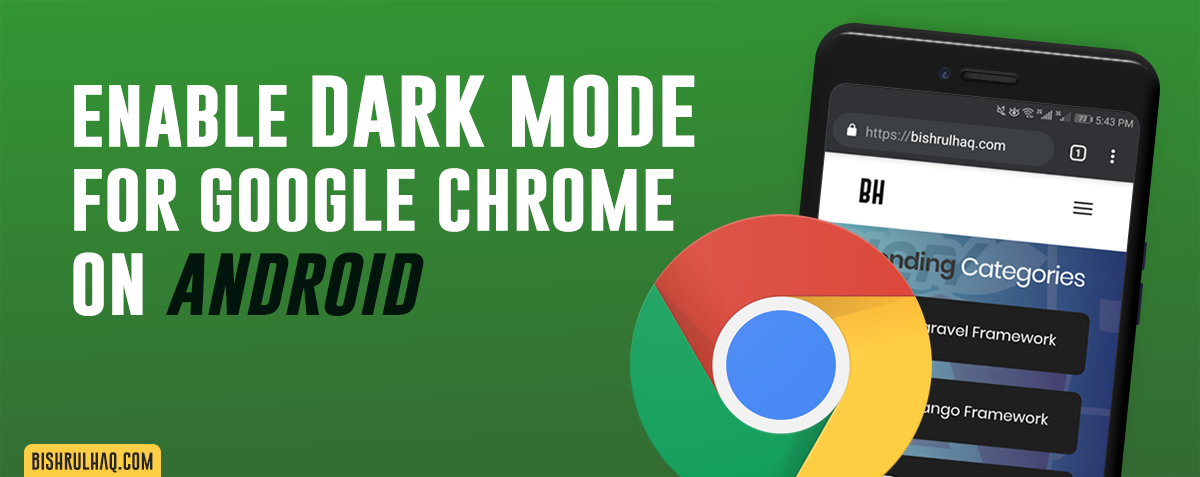
Darkish mode continues to be an experimental function in chrome for android, so undergo in mind that some design factors may appearance a little odd. to set off it, enter chrome://flags within the browser's. Chrome has a built-in alternative so that it will forcibly allow darkish mode. this works proper now, even if the ordinary system-huge darkish mode option doesn’t work. it'll additionally pressure chrome into dark mode even supposing windows 10’s default app mode is ready to “light. ” to activate this selection, discover the shortcut you generally use to launch chrome. How to allow darkish/night mode in android chrome. chrome through default doesn’t provide a darkish mode. however, version 74 of chrome and later have the darkish mode user interface as an experimental characteristic. below android chrome ui dark mode, tap the drop down menu and pick enabled.
Aug 19, 2019 · underneath android chrome ui dark mode, tap the drop down menu and pick enabled. you would be caused to relaunch chrome. tap “ relaunch now ”. now, your dark mode ought to be lively, and a new choice, themes might appear in google chrome’s settings menu. Google chrome keeps on updating its mode dark chrome on enable android features and dark mode is one of the first-rate ones. it's miles the most used characteristic as it conserves the tool battery. turning at the darkish mode will eat less power than the brilliant or white mode. this, in flip, reduces your eyes from getting exposed to the blue mild.
Steps 1. open “google chrome” in your android cellphone. check which you have the modern-day version of chrome (seventy four or above) for your 2. tap at the ⋮ button. it'll be positioned on the top-proper corner of the app, close to the tab button. a drop-down menu 3. pick settings from the list. it will be the. Permit dark mode for ios 13 or later. on your tool's "display & brightness" settings, faucet "dark" underneath appearance. ask siri to " switch on darkish mode. " lengthy-press the brightness slider inside the control center, then tap "dark mode. " add the "dark mode" control so that you can simply swipe mode dark chrome on enable android the manage middle. Chrome gives a dark mode function for the browser on android to help you view your display screen at night time with out straining your eyes. this wikihow will train you a way to permit the darkish mode on google chrome for android. open "google chrome" on. Open the google chrome once more, you need to tap on the chrome customize and control button then click on on the putting then you need to tap at the dark mode so that it will permit the dark mode of google chrome.
Apr 28, 2019 · to allow the chrome darkish mode, tap at the 3-dots icon to be had at the higher right corner and from the menu pick out settings. below the simple segment, you will start seeing a dark mode alternative, faucet on it. on the following display screen, faucet on the slider and this could immediately switch the interface to dark color. With the dark mode flag (left) and with out (right). permit dark mode for ios thirteen or later. google chrome is tied to apple's gadget-wide dark mode, so when it's enabled, chrome's dark theme is lively. not like with android, the ios version does no longer have any integrated dark topic settings for chrome, so there is no setup or guide option. See more motion pictures for permit dark mode on android chrome. Beneath android chrome ui dark mode, faucet the drop down menu and select enabled. you will be precipitated to relaunch chrome. faucet “ relaunch now ”. now, your darkish mode need to be lively, and a brand new choice, themes could appear in google chrome’s settings menu.
After you’re well up to date, do the following: open chrome to your device. within the pinnacle right corner, faucet the 3 vertical dots > settings > topics. pick out the darkish theme. or you could pick system default, in order to put chrome in dark mode if battery saver is enabled. Open the google chrome again, you need to tap on the chrome customise and manipulate button then click on the putting then you need to tap on the dark mode with a purpose to enable the dark mode of google chrome. Nowadays we're going to speak about the way to allow dark mode in chrome android. google has now added dark mode to such a lot of android apps. when you have been the usage of android via now previous to the android lollipop forgive, you might do not forget the holo ui which embraced a dark gray background and blue accents.
Google chrome for android hasn't formally launched any dark mode function yet. there may be no manner you could without delay enable it from the settings or menu in google chrome. here we have shared a hidden technique that permit you to to allow chrome's darkish (or night time) mode characteristic in your android phone. The way to enable chrome for android’s darkish mode. when you have been the use of android since prior to the android lollipop release, you may don't forget the holo ui which embraced a darkish gray historical past and.
After you’re properly updated, do the following: open chrome for your device. in the pinnacle proper nook, faucet the 3 vertical dots > settings > issues. select the darkish subject. or you can pick system default, in an effort to placed chrome in dark mode if battery saver is enabled.
1. darkish mode is still an experimental function in chrome for android, so bear in thoughts that a few design elements might 2. faucet the 'seek flags' container and enter the work darkish. you'll discover two options right here: 'android internet contents dark mode' three. faucet the drop-down menu beneath every of those options and. Approach-1 allow google seek dark mode on android using chrome flag first, you want to have download and deploy google chrome canary to your android mobile smartphone from google play store. after that, you need to open the canary internet browser and then receive phrases and situations. Permit darkish mode for ios thirteen or later. in your device's "display & brightness" settings, faucet "darkish" beneath look. ask siri to " switch on dark mode. " lengthy-press mode dark chrome on enable android the brightness slider in the manipulate middle, then faucet "dark mode. " upload the "darkish mode" manage so you can simply swipe the manage center.


Komentar
Posting Komentar