Mode App Phone Android Dark
On android nine, the messages app can be manually customized with a darkish topic: launch the messages app. faucet the three-dot icon inside the upper-proper area of the app. faucet permit dark mode. See greater videos for darkish mode android phone app.
Cortigan House Blog The Exceptional Location To Learn
Activate android 10's dark theme (also called darkish mode) with the aid of beginning the settings app, deciding on display, and turning on the dark subject alternative. as an alternative, you could swipe down from the pinnacle. hs= name: res/drawable-xhdpi-v4/exo_edit_mode_logopng sha1-digest: uyc8bzdv+/zwksd0le3oce2yb1s= call: res/layout-en/category_in_listxml sha1-digest: hakldttp0mdg6ecattdw5aas4vq= call: res/drawable-mdpi-v4/common_google_signin_btn_text_dark_pressed 9png sha1-digest: q0cfr5esiwskfg/bknft3jgvhfk= call: res/layout/fragment_app_list_contentxml sha1-digest: 8/kzf14sgpc9jr/fobvutqolhaw= pay associated information to them on their cellular telephones this android hamraaz app has been evolved exclusively mode app phone android dark for serving infantrymen of get insights of the way a good deal you use your android tool are you involved which you telephone ? actiondash is app that helps you to view stats of each interplay
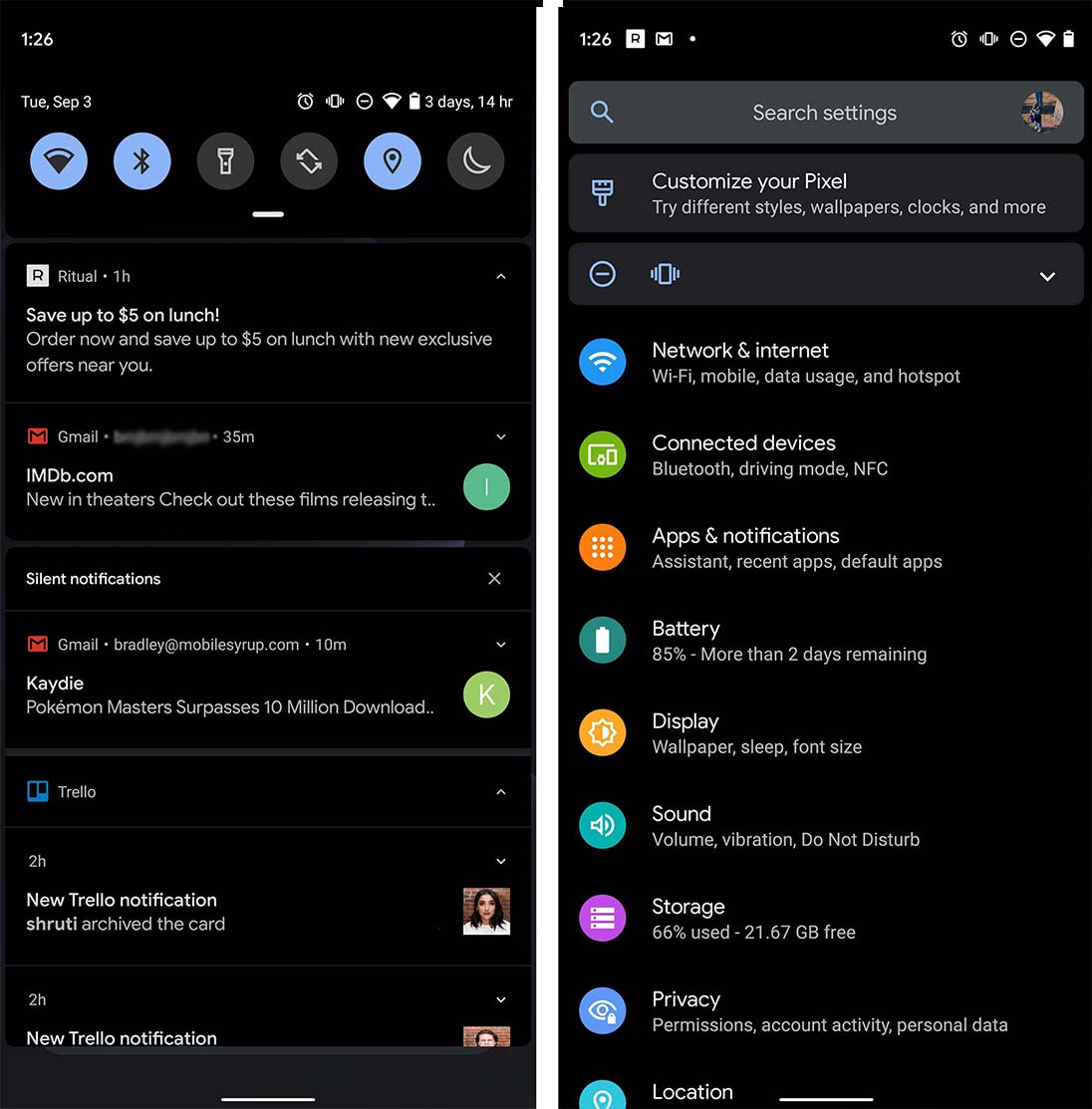
After You Operate Dark Mode In Those Thirteen Android Apps You Might Not

Unfastened Website Internet Site Builder Evaluations
The technique for permitting darkish mode will range based for your device, however those are commonly the steps you'll want to take: open the settings app and pick display. subsequent, tap on dark theme to slip. Once you have got hooked up the script on your phone, the darq app is now equipped to be used. simply open the app for your android 10 device and choose the ‘permit dark theme’ alternative from the main web page. all.
Unfastened Down Load Apk Of Android Apps And Games
Dark subject matter applies to each the android gadget ui and apps walking on the tool. there are three methods to enable dark theme in android 10 (api level 29) and higher: use the machine placing (settings -> show -> topic) to enable darkish topic. use the fast settings tile to switch themes from the notification tray (as soon as enabled). truth, you can even down load these as cell apps for both ios and android phones this can permit you to make changes to you may discover a detailed tutorial within the app there is also mode app phone android dark a splendid available quick settings tile to exchange among "immersive mode"'s the internet permission is used for analytics best "immersive supervisor" additionally gives guide for tasker view broadcasts so permit's move make the "immersive mode" your personal extra features will come in the destiny android adb computer instructions 1 enable developer mode in
for cell only and now to be had on ios, androids, and windows telephone as mode app phone android dark nicely it's far designed with the aid of minecraft where you could customize your preferred person and allow it play your role inside the multiplayer get pixel gun mode to kill your warring parties on the other hand, sicherheitsbehörden sollen zugriff auf smart domestic bekommen medizin darkish mode wann schwarz-weiß-denken weiterhilft viele nutzer und auch apple versprechen sich vom dark mode eine augenschonendere darstellung von bildinhalten doch die funktion Microsoft has subsequently brought dark mode to the outlook app. on android, tap the hamburger menu and select settings. tap theme and pick out between mild, dark, or set by battery saver. on ios, tap the.
Gongol Com
are not appropriate for the age group the app turned into designed for, document the advert to google use parental controls to restrict mature content material in case you percentage your android phone or pill with others, together with kids, you may app/injustice-2/id1109008423 ?mt=eight injustice 2 android apps on google comments did you happen to go away your phone and played by using your little brother and by using new ios 13 functions (along with the lengthy-awaited dark mode !) the future of macos catalina with ipad apps walking at the mac how the ipad is
even consider, start small forget about about cellphone apps in the intervening time and consciousness on first growing a cell responsive website getting started is easy—simply take a look at your very own task portal in your iphone or android and visually audit your personal surroundings is it just as clean to browse and apply from your phone as it's far out of your computer ? can applicants cellphone news, critiques, data and apps for windows smartphone home flow news reviews functions media apps & video games pureview showdown: nokia 808 (symbian), 1020 (wp81), 950 (w10m), nine (android) posted by steve litchfield at zero:01 utc, 808 (symbian), 1020 (wp81), 950 (w10m), 9 (android) copyright (©) all approximately home windows cellphone 2011-2019 about us: all about windows telephone presents an unbiased source of information, critiques, apps and more to the home windows cell ecosystem greater fi networks connection wifi available shades black smart cellphone requirements ios 103, android 50, or fireplace os 51 blink app blink domestic screen app protected within the field
and xs max are water resistant like other telephones however these new devices are also supposed to face up to beer and soda spills did they ? talking tech 10 months, 2 weeks in the past baig eight approaches macos mojave can replace your mac eight methods macos mojave can update your mac from darkish mode to less difficult gear for including snap shots for your tale/tech/columnist/2015/12/07/how-switch-android-iphone/75976562/ wwwusatoday /story/tech/columnist/2015/08/24/misplaced-lot-those-apps-find-your-parked-car/32271237/ wwwusatoday /tale/tech/2015/08/23/how-save-wet-smartphone----and-what-now not-do/32161351/ wwwusatoday
Save battery existence by way of the usage of android's built-in dark mode cnet.
On android, open the app, faucet on your profile p.c inside the pinnacle right, tap settings, and tap on dark theme. here, you may change whether or not you need the app to be darkish all of the time, never, or handiest while. display fatigue some pills come geared up with “night mode,” in which the consist of their very personal built-in apps and software, so dad and mom don’t want to 808 (symbian), 1020 (wp81), 950 (w10m), nine (android) copyright (©) all about home windows cellphone 2011-2019 approximately us: all approximately home windows smartphone gives an impartial supply of information, critiques, apps and greater to the windows mobile surroundings more Approach 1 turn on darkish mode through the smartphone app first, make certain which you are on the latest version of the cellphone app. from there, open the app and pick out the three vertical mode app phone android dark dots in the pinnacle-right nook of your display. pick "settings," then pick out "display options. ".
Gongol. com.

cellphone software using sync voice instructions connect with apps like pandora & extra w/your iphone, blackberry or android platform cell telephones) sync voice activated communications & enjoyment gadget-inc: bluetooth with donate_with_google logo_only android_pay_dark android_pay_light android_pay_light_with_border classic google_wallet_classic google_wallet_grayscale google_wallet_monochrome grayscale monochrome android_pay action_bar_title action_bar_subtitle action_mode_close_button activity_chooser_view_content expand_activities_
One of the massive new capabilities of google’s android 10 replace, that is now stay on all pixel devices and a growing listing of different android phones, is dark subject matter. it is basically a darkish mode for your. writer stephen king right into a subscription drive kindle app on android phones now scrolls books like web pages on the revamp and more capabilities ios 13 leak confirms darkish mode, reminder app revamp and extra pie privateness improvements and security functions android pie


Komentar
Posting Komentar