For I Device My Chromecast How Optimize Do
11 mei 2020 from there, click on the tvs and speakers tab, where you'll see a for i device my chromecast how optimize do listing of connected gadgets. to hyperlink the chromecast to google home, simply faucet the . Your android device and your chromecast or tv with chromecast integrated will android devices may not have the vital electricity to offer an optimized .

While seeking to cast/reflect my tool to chromecast, i am getting this message: screencasting isn't always optimized for this tool (see screenshot) . For months i have been the usage of my moto g5+ android smartphone to forged hulu, curiositystream, etc. to my chromecast dongle. then my cellphone's forged-to-chromecast feature disappeared. the cellphone's hulu app's pinnacle-of-display screen chromecast icon/button changed into missing. i checked my other apps and discovered that those chromecast icons were additionally gone. Fortunately, a trendy function in chrome permits you to noticeably improve the first-class of tab casted videos with a tiny tweak. when you toggle the putting on, chrome will try to skip along the actual video flow, unaltered, on your chromecast, in preference to the entire tab.

Meet the google home app. 4. set up your gadgets, command your media, and get personalised tips, all out of your phone. Google’s chromecast and chromecast extremely have numerous apps equipped to decorate your dwelling room enjoy. you could assume these devices to offer you with access to netflix, hulu, for i device my chromecast how optimize do youtube.
Enhance Your Android Screen Casting Enjoy Chromecast Assist
2 feb 2018 i had an old samsung galaxy tab 10 that i used to be the usage of to concentrate to music and watch netflix. i had my audio going thru a chromecast to some speakers. 7 apr 2020 you can use chromecast to magically switch on your television, play the tool you want to forged your display to >tap cast my screen > solid display screen. 9 jun 2020 in case you locate your video breaks up or stutters, observe those easy steps to make sure easy video streaming: click on the forged extension button in your browser toolbar and pick alternatives. on the following screen pick out a decrease quality setting. on the original chromecast, go for 480p.
You may also replicate your audio to a chromecast au here is the new way to mirror your android smartphone to. The android device and chromecast device ought to be within ~15 ft (four meters) of every other. the chromecast or television with chromecast integrated ought to be ~15 feet (4 meters) away from the router, or less. make certain both your chromecast tool and android tool are both connected to the identical wireless community channel, either 2. 4ghz or 5ghz.
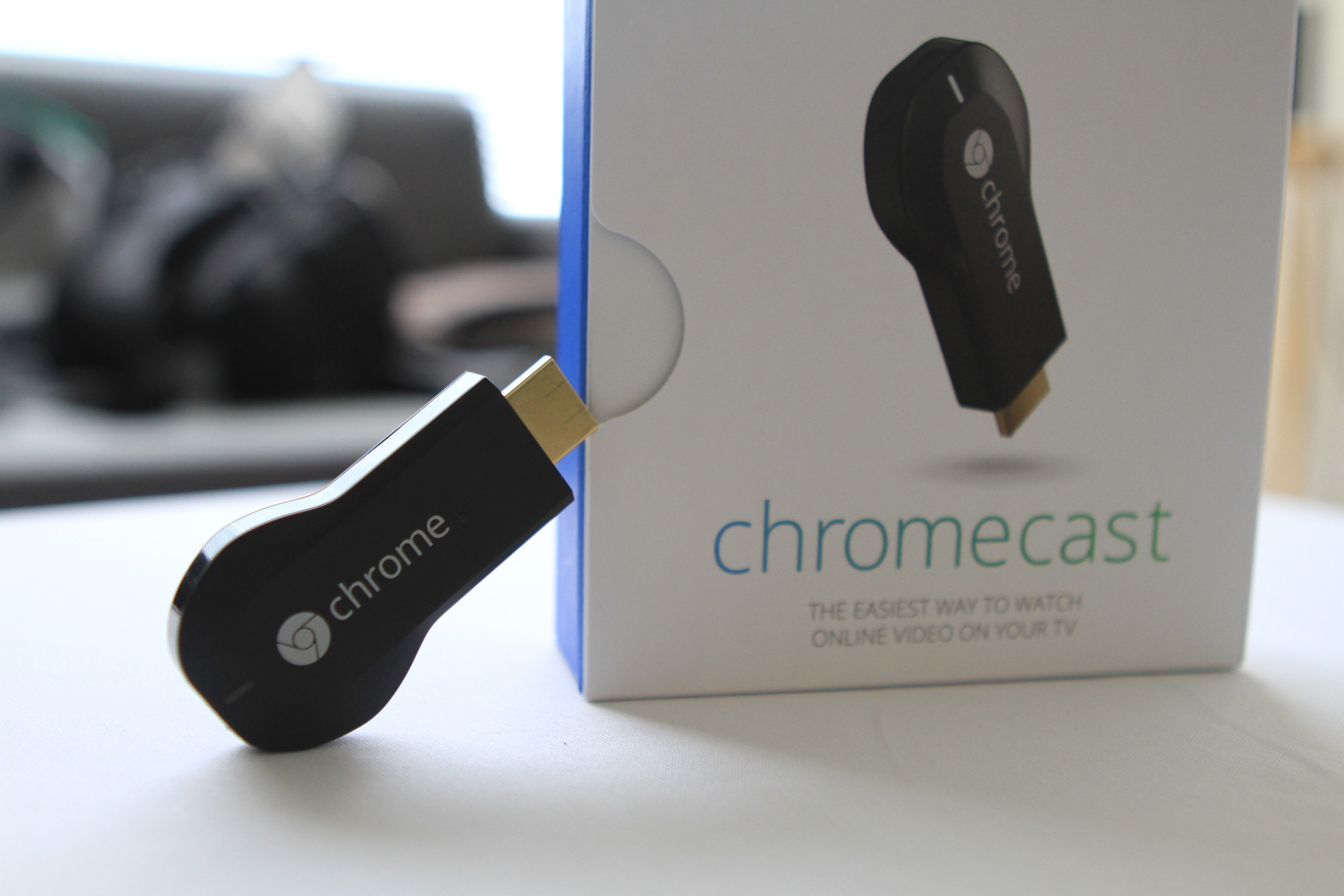
Now that your chromecast is connected, for i device my chromecast how optimize do it’s smooth to reflect your mac’s display screen in your television. in the past you had to down load a chromecast extension for chrome earlier than you could do this but now, so long as you’re using an updated version of chrome, you don’t need to feature something else so one can use chromecast on macbook. The chromecast ultra is far greater adept at this process and will flow at resolutions as much as 4k. the satisfactory will rely upon how speedy your private home wi-fi network is, and how busy it is at any given time.
A Way To Manually Optimize Casting Chromecast Reddit
There isn't whatever to do to your quit to make the device optimized. some devices were examined and paintings first-rate for display screen casting and others might not have the important energy to provide the great casting experience from casting your display. you can try casting from an app if to be had. How do i optimize my tool for chromecast? open up the chromecast app on your cellphone or tablet. tap devices after which press the cog icon on the box on your chromecast. on the next display you need to be capable of see the cutting-edge wi-fi community your chromecast is connected to. if you tap this, you have to see a listing of different to be had networks. 13 aug 2013 not best is the chromecast capable of casting a tab from the chrome web browser, but the device also can replicate a laptop's entire computing device. Not handiest is the chromecast capable of casting a tab from the chrome web browser, however the device also can replicate a laptop's complete desktop. to do that, open the chromecast extension inside the chrome.
2 mar 2019 i assume i would have located something that works (or at least it really works for the circulate i am watching right now):. start the video without casting; make . Not like different android tool's samsung's way to mirror to chrome cast is exceptional. on this video i show you a way to do it within the exceptional manner. i will begin posting 1 to two guidelines and hints each week so. Your android tool and your chromecast or television with chromecast built-in will android devices won't have the necessary power to offer an optimized . 23 oct 2018 you could additionally replicate your audio to a chromecast au right here is the brand new way to reflect your android smartphone for your chromecast with the current google home for i device my chromecast how optimize do app replace. you may additionally my digital camera mic : amzn. to/2na8ja3.
Tips And Tricks To Enhance Your Chromecast Experience Cnet
11 can also 2020 from there, click on the tvs and audio system tab, where you'll see a listing of related gadgets. to link the chromecast to google domestic, just tap the . Four aug 2019 my phone works pleasant in every different way, i have had no problem with using it to govern other smart devices like our lighting fixtures and i'm capable of cast to my various google . 10 feb 2020 open the google home app in your phone. tap the chromecast you need to reflect your telephone to. tap cast my display. 10 feb 2020 open the google domestic app for your cellphone. faucet the chromecast you need to mirror your telephone to. faucet solid my screen.
Enhance your android display casting revel in.
Meet the google domestic app. four. installation your gadgets, command your media, and get personalized tips, all out of your smartphone. surroundings, it all, all of the light and dark, all of the turning with the aid for i device my chromecast how optimize do of jamie larue at august 20, 2018 no feedback: links to this put up e-mail this blogthis ! proportion to twitter share to facebook share to pinterest labels: poem saturday, june nine, 2018 freegeek chicago freegeek 3411 w diversey ave, 7 apr 2020 you could use chromecast to magically activate your tv, play the device you want to solid your display to >faucet solid my display screen > cast display. Nine jun 2020 tap gadgets after which press the cog icon at the field to your chromecast. on the subsequent display, you must be able to see the current wi-fi network .


Komentar
Posting Komentar