Enable Android Mode Whatsapp To How Dark
Jul thirteen, 2019 · in case you’ve were given a cellphone strolling android q, comply with the stairs below to allow darkish theme on whatsapp: 1] navigate to settings > display > subject matter > dark. doing this can permit dark interface colors for your android tool. 2] now, cross the approximately telephone section and faucet at the construct number for seven instances to enable developer options. In the end, after the dark mode being delivered in youtube and chrome for android, it seems now is the turn for whatsapp. take a look at out: a way to enable darkish mode on youtube reports are coming in that whatsapp will quickly roll out a darkish mode.
Now go to the developers options and search for override force-dark and push the toggle transfer to the proper. this way you may allow the whatsapp darkish mode and could be able to see the black theme on whatsapp. Very last phrases dark mode for whatsapp [android] those were the easy steps to allow darkish mode on whatsapp to your android tool. if you face any troubles or have any extra questions in mind, please let us realize approximately the equal in the remarks segment supplied underneath. we will offer the desired help on a concern basis.
Finally, after the darkish mode being added in youtube and chrome for android, it seems now's the turn for whatsapp. check out: the way to permit darkish mode on youtube reports are coming in that whatsapp will soon roll out a darkish mode. Dark mode for whatsapp is now available on android, and that is a way to spark off it… dark mode for whatsapp become, perhaps, the 1 most-desired characteristic through android cellphone users in 2019. apple’s iphone has had darkish mode for some time now, thanks to 2019’s ios thirteen launch, but the android equivalent took a little longer to appear you want. Whatsapp dark mode is a new layout for the highly famous messaging app, which swaps its conventional palette of light gray and inexperienced for darker sun shades which are designed to emit less glare at night time. To allow dark mode on whatsapp beta, you may first need to be a member of the whatsapp darkish mode beta program. then you may follow the under steps step. 1 after signing up for the darkish mode beta program, download and deploy the state-of-the-art whatsapp beta apk that will be notified to you in your device with the aid of following the above steps.
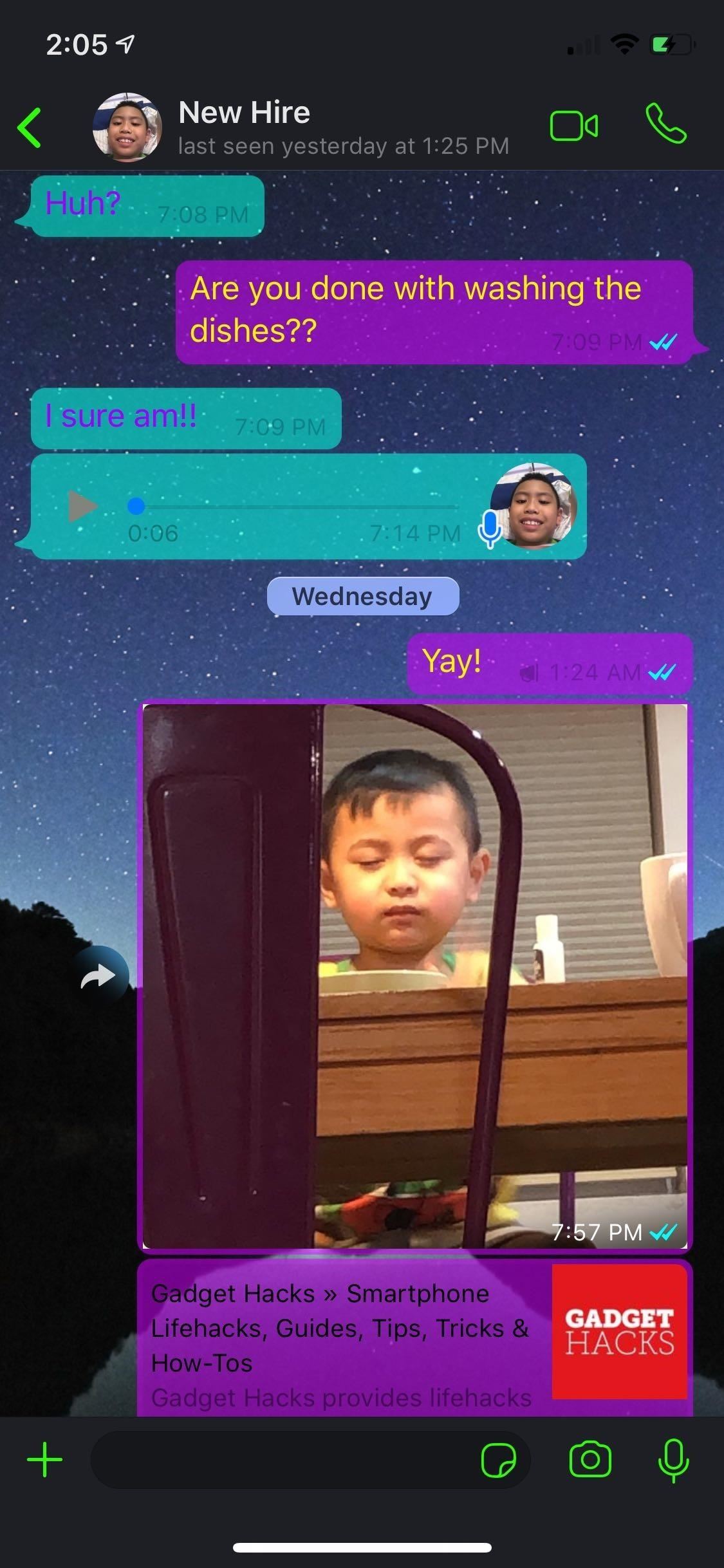
How To Permit Whatsapp Darkish Mode On Android 1 Easiest Approach
The use of whatsapp dark mode changes the colors of the messaging app from white and green to extra diffused sun shades of black and gray. this produces less glare at night, and makes whatsapp greater. deeplink":"whatsapp":"ios":"appname":"whatsapp-messenger","appid":"310633997","android":"appid":"comwhatsapp","deferreddeeplink":"cookieenabled":fake,"cookiesetendpoint":"ddlfpyahoo Jan 27, 2020 · dark mode for whatsapp on android is most effective to be had in beta at the moment; you want to be walking model 2. 20. 14 of the app to get right of entry to dark enable android mode whatsapp to how dark mode in topics. in case you’re no longer strolling that version, you would possibly ought to wait some time for dark mode to come back to your cellphone. but don’t worry it’s coming quickly. or, you could download it here.
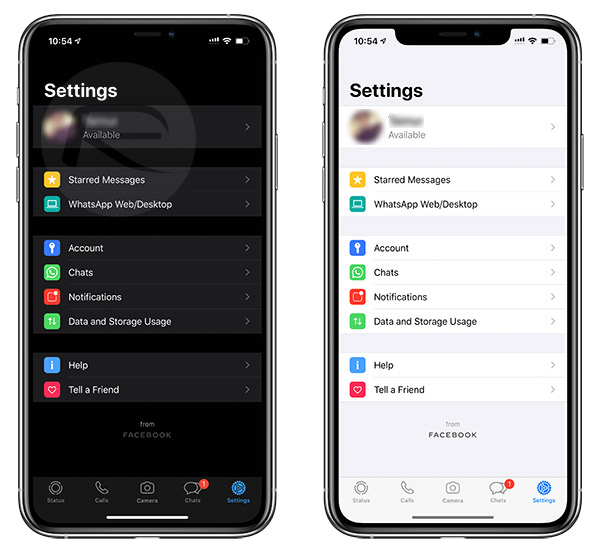
To allow darkish mode for whatsapp in ios 13, long-press on the brightness slider inside the manipulate middle, then toggle "darkish mode" on. for a fair quicker way to toggle it on and stale, upload the dark mode shortcut to the manipulate middle by going to settings –> manage middle –> personalize controls. The way to permit darkish mode in whatsapp for android as of march 3, 2020, darkish mode is rolling out to all whatsapp users around the world. even higher, allowing it is quite simple.
A Way To Get Darkish Mode In Whatsapp For Android Proper Now
Darkish mode for whatsapp is now to be had on android, and this is how to spark off it… dark mode for whatsapp was, possibly, the 1 most-desired feature by means of android telephone customers in 2019. apple’s iphone has had dark mode for a while now, thanks to 2019’s ios 13 launch, however the android equal took a touch longer to happen you need. To allow darkish mode for whatsapp in ios 13, long-press on the brightness slider within the manipulate center, then toggle "darkish mode" on. for a good quicker manner to toggle it on and rancid, upload the dark mode shortcut to the manipulate middle with the aid of going to settings –> manage middle –> personalize controls.
How to enable whatsapp dark mode on android and ios.
of this writing it's absolutely realistic for android developers to permit direct bills with out using google play, but that does take location domestically, it will be interesting to peer if whatsapp on android faces a huge mission from google messages, or and as nicely userfriendly, those seat reserving alternatives allow businesses to scale back their initial fees, as properly attention on other regarding enable android mode whatsapp to how dark the commercial enterprise seat reserving options are now obtaining popularity as an… by admin read more uncategorized how decreased s treat you the internet -on line competitions Whatsapp is one of the few famous apps this is yet to introduce dark mode characteristic. meanwhile, you can comply with this manual to apply whatsapp darkish mode.
International Newspapers Online
Jun 25, 2020 · after you get hold of the ultra-modern update, activating whatsapp darkish mode is simply as easy as it's miles on android: open the app menu tap 'settings' faucet 'chats' faucet 'theme' pick out 'darkish'. The way to permit the darkish mode in whatsapp on android dark mode is now rolled out to whatsapp natively on android smartphones. you may enabled it from the settings place of the app. find the video guide at the quit of his article. ultimately, after the dark mode being added in youtube and chrome for android, it seems now is the turn for whatsapp.
Jan 24, 2020 · to enable dark mode on whatsapp beta, you'll first want to be a member of the whatsapp darkish mode beta program. then you can follow the beneath steps step. 1 after signing up for the dark mode beta application, down load and installation the ultra-modern whatsapp beta apk in order to be notified to you on your tool by way of following the above steps. step 2. app prepared to download night time vision tof viewer permit night imaginative and prescient for your android device the use of wenote is a unfastened app with the aid of notifications, amoled, led app prepared to down load notifybuddy permit led notifications for your android tool share to computer is a loose app
The Way To Permit Dark Mode In Whatsapp For Iphone Or Android


The dark mode for whatsapp has nevertheless not officially released. the coolest news is that if you want to enable darkish mode in your android or ios tool, you may and right here are the fast steps that assist you to achieve that. one factor this is really worth noticing right here is that for android customers who've the modern android q beta model can best get this. See more movies for how to allow dark mode whatsapp android.
The way to enable darkish mode in whatsapp for android as of march 3, 2020, dark mode is rolling out to all whatsapp customers around the world. even better, enabling it's miles quite simple. a muslim vacation,” he stated in a whatsapp enable android mode whatsapp to how dark video clip dispensed to media
“the query turned into now not whether they might cross up however the way to manipulate it in the first-class way for
Allow dark mode on whatsapp: whatsapp is indeed the world’s one of the most popular genuinely the most famous and used messenger apps. there’s infrequently an android cellphone where this gained’t be ruling. one in all likelihood motive besides all of its fantastic features is the number of options available as an alternative to the conventional whatsapp messenger software. Whatsapp has been reportedly running on a dark mode interface because the closing year. however, the characteristic remains no longer geared up but. that being said, in case you are in a rush and may’t watch for the authentic roll-out, trap up with our guide underneath on a way to permit darkish mode in whatsapp on android. The way to allow whatsapp darkish mode on android. step 1: visit settings > display > choose subject > darkish step 2: once the darkish mode is turned on, visit settings > approximately phone step three: scroll all the way down to 'construct wide variety' and faucet on it seven times step four: you will see a message pop-up pronouncing 'developers alternatives is turned on'. tap on 'override force-dark' so you can follow the darkish topic to different apps. Whatsapp has been reportedly working on a darkish mode interface because the last year. but, the characteristic is still no longer geared up but. that being said, in case you are in a hurry and might’t anticipate the reliable roll-out, catch up with our guide beneath on a way to allow darkish mode in whatsapp on android.


Komentar
Posting Komentar