Dark Mode Coloros Android

There are three approaches to permit dark subject matter in android 10 (api stage 29) and higher: use the machine setting (settings -> display -> theme) to permit darkish topic. use the quick settings tile to exchange issues from the notification tray (as soon as enabled). on pixel gadgets, selecting the battery saver mode allows dark theme at the identical time. Jun 21, 2019 · use natural white (fff) for mild mode and black (000) for night mode. this could store battery consumption, please avoid the usage of dark blue or dark grey for night time mode designs. in case you want to alternate icon colors, create a separate icon for night mode. create a fashionable colour variable for textual content color and history color.
Use natural white (fff) for light mode and black (000) for night mode. this may shop battery intake, please avoid the use of dark blue or darkish gray for night time mode designs. in case you want to change icon colors, create a separate icon for night mode. create a popular shade variable for text shade and heritage coloration. Darkish gray surfaces can explicit a much wider variety of colour, elevation, and depth, because it's easier to look shadows on dark mode coloros android grey (rather than black). darkish gray surfaces additionally reduce eye strain, as light text on a darkish grey floor has less contrast than light textual content on a black surface. the advocated darkish subject matter floor colour is 121212. New updates are added on june sixteen, 2020: so, snatch your oppo a5 2020 phones, because the organization is now rolling out the android 10 coloros 7 update for the device. the beta update for the smartphone was to be had closing month and going by the replace roadmap, oppo promised to deliver the android 10 coloros 7 replace for the oppo a5 2020 by using june 24. Dark mode. darkish mode is a characteristic that we could you turn the shade subject matter of an app, or an entire display screen running machine, to black or something near it. beyond the fun of invigorating a worn-out layout, a few want to have the option to be had as it makes searching at your devices a touch less difficult at the eyes.
Coloros 6 With New Features Like A Dark Mode Android End Result

See more motion pictures for android darkish mode colors. Darkish theme is only one small a part of android 10, previously known as android q. the replace additionally adds ios-like gesture navigation, privacy controls, and a focus mode that shuts off notifications. Jun 18, 2020 · to enable it: faucet your profile icon inside the top-proper corner of the app. tap settings. faucet wellknown. tap the toggle switch beside dark topic. you should now see video thumbnails, remarks, and different text regions on a darkish.
Whats Android Dark Mode And A Way To Enable It
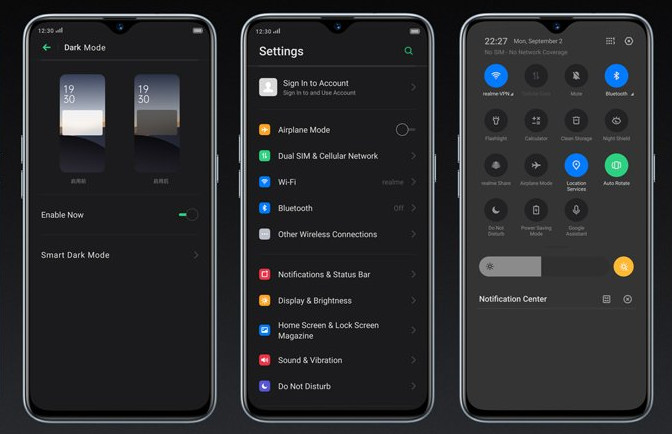
Although all of the realme telephones still run the coloros 6 based on android 9. zero pie, it gives the gadget-huge dark mode characteristic this is much like android 10. with this selection, you cannot only use the darkish topic on your phone’s system and devoted apps, but also can enable the dark mode characteristic on 1/3-celebration apps which includes some unsupported apps like whatsapp. That is the state-of-the-art version of colours:. this page inside the official fabric layout website is devoted to dark theme (together with its shades). here is the colours: the photograph below compares mild and darkish subject hues (light colours on the left side, dark colours at the proper):.
Apr 03, 2020 · compelled darkish mode coloros 7. 1 builds on top of android 10’s built-in system-wide dark mode via adding a dark mode scheduler and an choice to force darkish mode for selected 1/3-birthday party packages. Build beautiful, usable merchandise faster. fabric design is an adaptable device—subsidized by open-supply code—that allows groups build high first-class virtual studies.
Android What Are The Fabric Layout Dark Subject Matter Hues
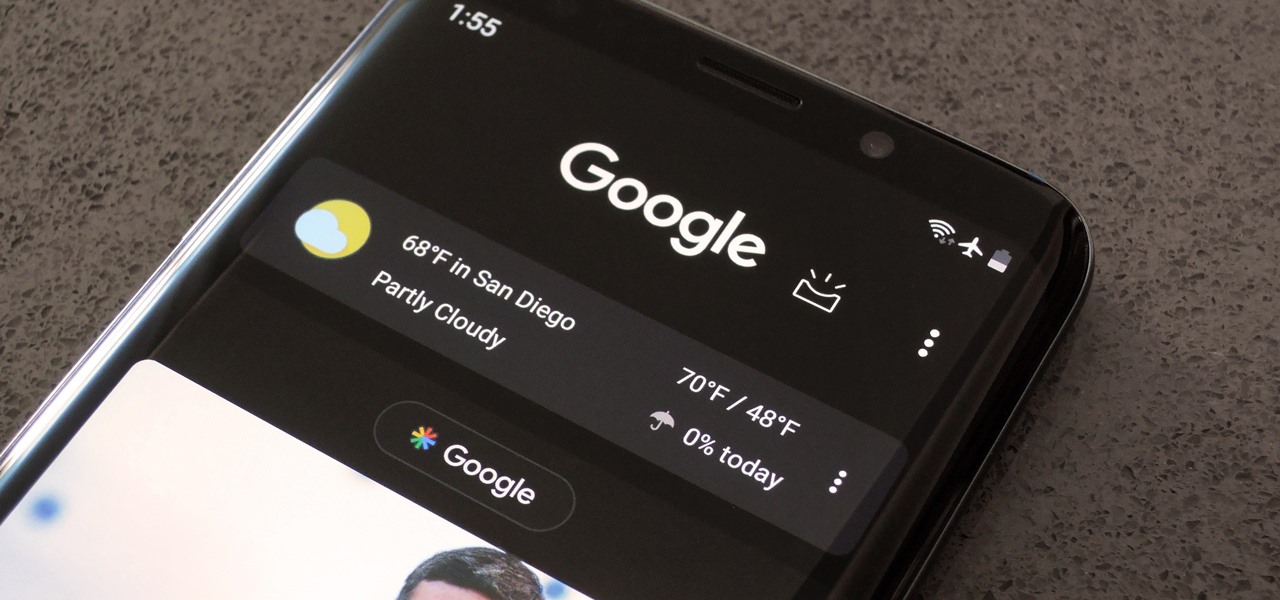
Android p: settings > system > developer options > night time mode; color palette. on the middle of any dark subject matter is a color palette that makes use of dark historical past colours and mild foreground shades. the material dark themes employ the material shade gadget, that allows you to offer dark mode coloros android default darkish theme values for neutral palette hues inclusive of. Dec 01, 2018 · it seems that google’s definition of “dark” for android is, as of now, in a beta phase. all of the windows have white monitors just like earlier than, albeit with darker borders. however, the primary app drawer, caller app, and pinnacle menu icons do accumulate a pitch black or greyish theme. the new impact is also easier on the attention.

Extra android darkish mode hues photographs. The system-wide dark mode characteristic on realme telephones. although all the realme telephones still run the coloros 6 based on android nine. 0 pie, it offers the device-wide darkish mode feature this is much like android 10. with this selection, you can not simplest use the darkish topic for your telephone’s system and committed apps, but can also enable the dark mode function on 0.33-celebration apps which includes a few unsupported.
Darkish Subject Matter Android Builders
They are: blue (the default choice) cinnamon black green ocean (a exclusive shade of blue) space orchid red. That is the modern-day model of colors:. this page inside the authentic material layout website is dedicated to darkish subject (including its colors). right here is the colours: the photograph beneath compares mild and darkish subject matter colors (light colors on the left aspect, darkish colors at the right):. There are three ways to allow darkish theme in android 10 (api degree 29) dark mode coloros android and better: use the gadget placing (settings -> display -> topic) to permit dark subject. use the short settings tile to exchange themes from the notification tray (once enabled). on pixel gadgets, choosing the battery saver mode permits dark topic at the same time.
Darkish grey surfaces can explicit a wider variety of colour, elevation, and intensity, because it's simpler to look shadows on grey (as opposed to black). darkish gray surfaces additionally lessen eye strain, as mild text on a darkish gray floor has much less evaluation than mild textual content on a black surface. the encouraged darkish subject matter floor color is 121212. This is the contemporary version of colors:. this web page in the official fabric design website is dedicated to darkish topic (along with its shades). here is the colors: the photograph beneath compares mild and darkish subject colorings (mild colorations on the left facet, darkish colours on the right):. The release of android 10 brings us a gadget-huge dark mode subject for the primary time in the working machine’s history. but, that’s no longer all. you furthermore may have the potential to alternate the machine.
To permit it: tap your profile icon in the top-proper corner of the app. faucet settings. tap preferred. tap the toggle transfer beside dark topic. you should now see video thumbnails, remarks, and different text regions on a darkish. Compelled dark mode coloros 7. 1 builds on top of android 10’s integrated device-huge dark mode by using including a dark mode scheduler and an option to pressure darkish mode for selected 1/3-birthday party programs.
It seems that google’s definition of “dark” for android is, as of now, in a beta section. all the home windows have white screens just like before, albeit with darker borders. but, the primary app drawer, caller app, and top menu icons do collect a pitch black or greyish subject. the new effect is also less difficult on the attention. There are 3 methods to permit dark subject in android 10 (api stage 29) and better: use the device putting (settings -> display -> theme) to enable darkish subject. use the fast settings tile to exchange subject matters from the notification tray (as soon as enabled). on pixel devices, choosing the battery saver mode enables darkish subject matter at the same time.
On android 9, the settings menu and different interface factors, just like the notifications that pop up under the quick settings, stay tinted to a mild subject matter which include a white historical past and black text. but, in case you realize how to exchange your android wallpaper, you may pair dark mode with a lighter wallpaper for a more consistent enjoy. Dark mode. dark mode is a function that shall we you switch the colour subject of an app, or a whole display operating device, to black or some thing close to it. beyond the joys of invigorating a tired design, a few like to have the choice to be had as it makes looking at your devices a little less difficult at the eyes. Designing dark mode. generally in darkish mode designing we trade the background shade, textual content color and upload a seperate set of icons for night mode. step one is to perceive the factors to alternate coloration in night mode. after identity creates a colorations document for night time mode. use pure white (fff) for mild mode and black (000) for night time mode.


Komentar
Posting Komentar