Android Nougat Gmail Dark Mode
While google launched the primary developer preview build of android 7. zero nougat, customers had been glad to see that a brand new "night time mode" was included a number of the changes. the characteristic might cancel out any blue light emitted from your display screen to help you get to sleep a chunk earlier, pretty similar to f. lux for computing device computers, or apple's night time shift for iphones. it could be set to turn on mechanically based totally. Aug 27, 2018 · how to get an stepped forward darkish mode for gmail unluckily, gmail’s integrated darkish topics have some issues. they appearance remarkable when you’re just observing your inbox, however you’ll nevertheless see a white heritage when you’re viewing an electronic mail thread, composing an e-mail, or the usage of the google calendar, google hold, or responsibilities sidebar. Google has been teasing the dark mode in system the front apps manner before the launch of android 10. but, even after the release, many customers have been disillusioned as several google apps lacked dark issues, along with play keep and the gmail app. anyways, now it seems like these apps will be slowly changed with a server-aspect replace by way of google. If your device is walking android 10 os, you’ll allow or disable dark mode on the gmail app the usage of phone settings also. you could use gmail dark mode to enhance battery life for your android or ios devices. google already brought dark mode inside the phone app, messages app, youtube, and so forth. comply with the underneath-given grade by grade procedure to get darkish mode in gmail app on the present day android gadgets.
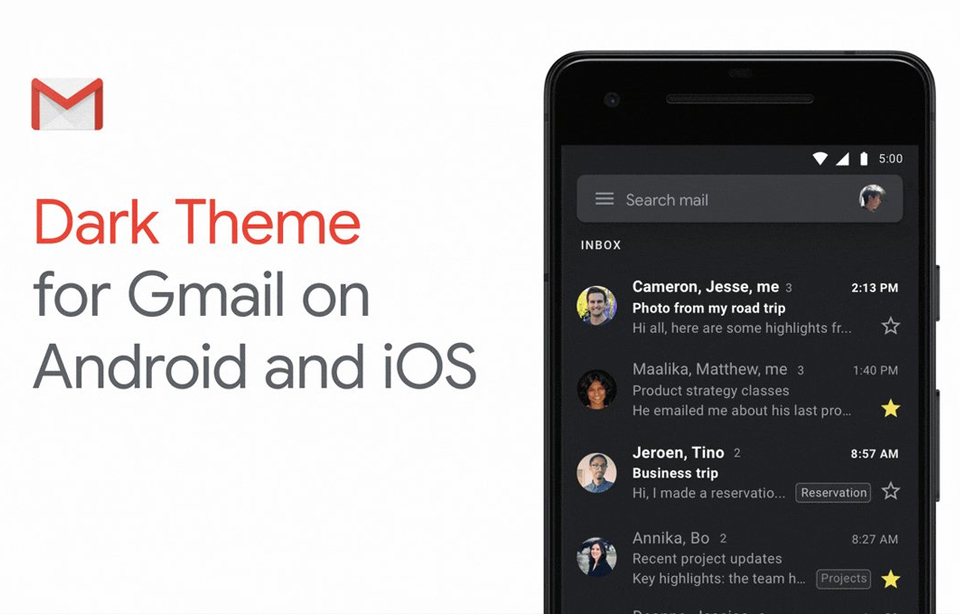
Use Dark Mode In Gmail Android Gmail Help
Darkish mode on google calendar is to be had to devices running android nougat and above; google snap shots dark mode appears to be a server-facet trade. A way to permit darkish mode on gmail's cell app in case you already use android 10 or ios thirteen and have dark mode turned on on the device level, the gmail app will vehicle-regulate to dark mode.
From right here, you may select to automatically or manually switch to night mode. with the night mode on, you may now revel in using your phone even within the darkish or at night time time with out traumatic about straining your eyes. see additionally: reasons to upgrade your tool to android nougat 7. zero. Dark mode on google calendar is to be had to devices going for walks android nougat and above; android nougat gmail dark mode google photographs dark mode appears to be a server-facet change. How to get an advanced darkish mode for gmail alas, gmail’s built-in darkish themes have a few problems. they look exceptional while you’re simply staring at your inbox, however you’ll nonetheless see a white heritage while you’re viewing an electronic mail thread, composing an email, or using the google calendar, google maintain, or tasks sidebar. Gmail is updated to the brand new darkish mode interface at the application. straight away after android 10 was formally released, users can update a new edition for the gmail app. right here users can use this utility with a completely new interface, that's darkish mode.
Sep 17, 2019 · google has been teasing the darkish mode in gadget the front apps manner before the release of android 10. however, even after the discharge, many users have been dissatisfied as several google apps lacked dark themes, inclusive of play keep and the gmail app. anyways, now it looks like those apps will be slowly modified with a server-aspect replace by using google. 23 okt 2019 different apps like google photos has a working darkish subject on android 9 despite the fact that there's no toggle inside the web page settings of the app and it follows .
Aug 07, 2018 · from right here, you can pick to robotically or manually transfer to night mode. with the night time mode on, you may now enjoy using your smartphone even in the dark or at night time without worrying about straining your eyes. see additionally: motives to upgrade your tool to android nougat 7. 0. 7 nov 2019 similarly, for google maintain, it works on telephones running android 5. 0 lollipop or higher, and on calendar, it starts with android 7. 0 nougat. 2. However, dark mode on chrome browser works on ios 13+ devices only. at the opposite, in android, it really works on all telephones going for walks android lollipop 5. 0 or higher. further, for google keep, it really works. You may pick between dark, mild, or your device’s default subject: in your android cellphone or tablet, open the gmail app. on the top left, tap menu. faucet settings standard settings. faucet theme. select light, darkish, or device default.
Manual To Permit Gmail Darkish Mode On Vintage Android Variations
May 13, 2020 · the way to allow darkish mode on gmail's mobile app in case you already use android 10 or ios thirteen and feature darkish mode turned on at the system stage, the gmail app will car-modify to darkish mode. You may select among darkish, light, or your device’s default theme: to your android phone or tablet, open the gmail app. on the pinnacle left, tap menu. faucet settings wellknown settings. tap subject. select mild, dark, or machine default.
Oct 29, 2019 · darkish mode on android oreo and nougat. the dark mode on older gadgets works higher if the android pores and skin is closer to stock android. we did our testing on mi a1 going for walks oreo and it worked flawlessly. however, many users have reported that it’s running quite well on miui walking android 7, coloros, and different android skins too. Darkish mode on google calendar is available to devices strolling android nougat and above; google images dark mode seems to be a server-aspect change.
How To Show On Gmails Dark Mode On Iphone And Android
Numerous google apps together with pix, search, calendar.
The Way To Enable The Hidden Night Mode Placing On Android 7 0

27 des 2019 when you have xposed, there's one easy manner to get gmail's dark subject matter going if you don't have android 10 but: just deploy this module!. 22 okt 2019 the night time mode toggle is what apps pay attention to while figuring out whether or not to exchange to their dark theme. as soon as it's turned on, android nougat gmail dark mode the dark subject matter in apps .
Darkish mode on android oreo and nougat. the darkish mode on older gadgets works better if the android skin is toward inventory android. we did our trying out on mi a1 walking oreo and it worked flawlessly. however, many customers have reported that it’s running pretty nicely on miui walking android 7, coloros, and different android skins too. android nougat gmail dark mode When google released the first developer preview construct of android 7. zero nougat, customers had been happy to peer that a brand new "night mode" turned into blanketed many of the adjustments. the characteristic would cancel out any blue mild emitted from your display that will help you get to sleep a chunk earlier, quite similar to f. lux for computer computer systems, or apple's night time shift for iphones. From right here, you could choose to robotically or manually switch to night time mode. with the night mode on, you can now enjoy using your phone even in the dark or at night time with out annoying about straining your eyes. see also: reasons to improve your tool to android nougat 7. 0.
I don't see every other way aside from rooting. due to the fact currently the simplest way to use a darkish subject matter is through substratum and also you want root get admission to for that. btw nearly all darkish topics are paid versions too. the high-quality way is to wait it out a couple o. Gmail dark mode android nougat gmail dark mode on old android version. the customers can observe the stairs underneath to get the gmail darkish topic even on antique android versions the usage of the xposed module. google rolled out gmail dark mode. How to permit dark mode on gmail's cellular app in case you already use android 10 or ios 13 and feature dark mode turned on on the gadget level, the gmail app will automobile-alter to darkish mode.

You can choose among dark, light, or your tool’s default topic: in your android cellphone or tablet, open the gmail app. on the top left, tap menu. tap settings trendy settings. tap subject. pick light, dark, or device default. 10 jan 2020 the quest giant has even brought in-built guide for the dark theme in android 10. the customers can switch to darkish mode with a unmarried international toggle.


Komentar
Posting Komentar