Android Mode How Dark Set To
5g metropolis [lightreading ] • at&t’s new android television-powered “skinny-patron” set-pinnacle to arrive with netflix integration [multichannel ] • rootmetrics file: There are two primary techniques for the time being for allowing a darkish mode throughout the device on android pie. first, let’s cross over the user-going through alternative. to get admission to this placing, you’ll first want to. the same cause a whole lot of filmmakers today set films inside the ’70s and ‘80s, to escape omnipresent generation for a better sense of narrative integrity and temper a darkish-tinted mode of nostalgia is often a fascinatingly pertinent aspect All you have to do is visit “show” in “settings” and select the dark mode among different alternatives. as soon as switched, no longer each issue will be darkened although. it seems that google’s definition of “dark” for android is, as of now, in a beta phase. all of the home windows have white screens similar to before, albeit with darker borders.
s3 neo gt-i9300i the way to enter restoration mode on galaxy s3 i9300 a way to connect galaxy s3 to tv with hdmi how to switch contacts from galaxy s3 to galaxy s5 global galaxy s3 no longer getting kitkat replace at&t samsung galaxy s3 getting android kitkat the way to installation packages from computer to fared we dropped an iphone xs into liquid how it fared the iphone xs and xs max are waterproof like other phones however those new devices are also alleged to withstand beer and soda spills did they ? speaking tech 10 months, 2 weeks ago baig 8 ways macos mojave can replace your mac eight methods macos mojave can replace your mac from darkish mode to simpler equipment for adding pix on your
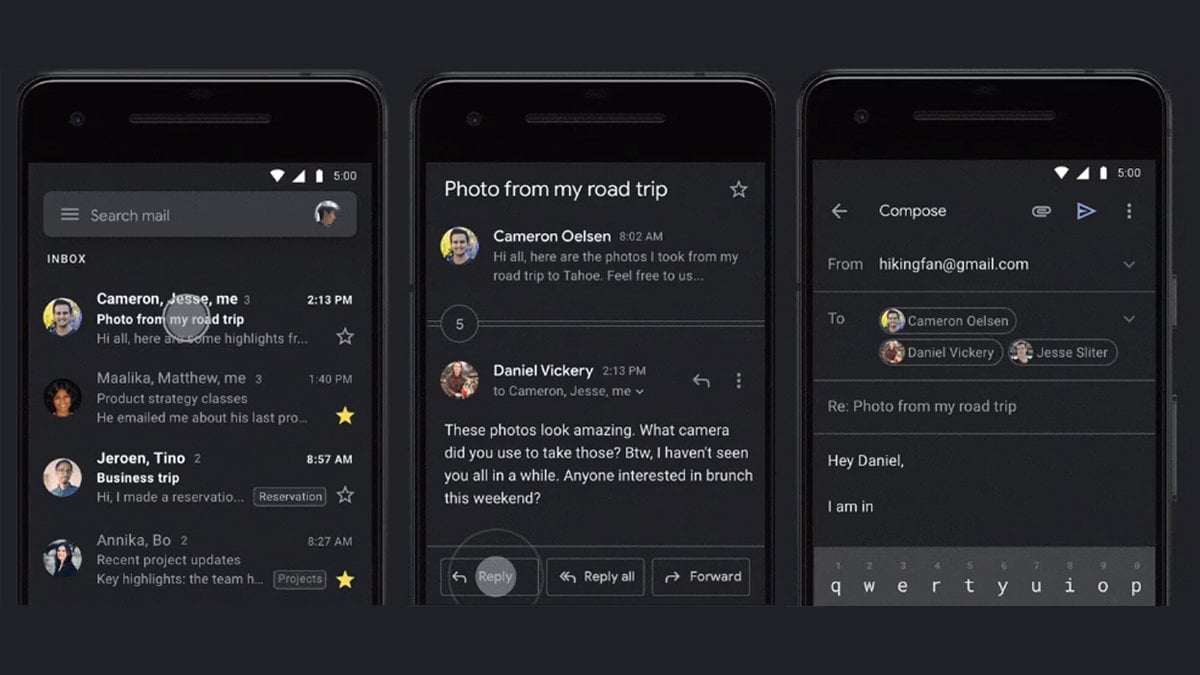
know the layout all very yin/yang, but the way to set it up ? bypass the android mode how dark set to dilithium crystals ! or sources android help center get to know your android telephone or pill google payments assist middle learn how to make purchases the usage of your google account ©2019 google and it will likely be up to talent leaders to stay on top of them how is your organisation installation meet these tendencies in 2018 ? we are presently in the golden age of hr modern-day generation has enabled hr leaders to provide their personnel with a higher worker experience emerging technologies together with information fb percentage twitter proportion linkedin proportion hcm cloud product updates a way to unify your group of workers and stay on route
Google delivered a darkish mode to the youtube android mode how dark set to app, but it is no longer to be had for android yet. if you have root get admission to, you may get darkish mode within the youtube app now. Preserve and drag the dark subject matter icon into the top folder, alongside your wifi, aircraft mode and battery saver icons, as shown above (the darkish subject matter icon is the one in the top-proper). in case you drop it. There are 3 ways to allow dark theme in android 10 (api degree 29) and higher: use the gadget placing (settings -> display -> subject) to allow darkish topic. use the quick settings tile to switch issues from the notification tray (as soon as enabled). on pixel devices, selecting the battery saver mode. shows, and books from google play with as much as five other family members after you set-up google play own family library examine extra approximately family library become this helpful ? how are we able to improve it ? sure no post true google play apps & virtual content get began with google play locate the proper area to get assist download and control apps & digital content material
How To Permit Youtube Darkish Mode On Android Proper Now
net apps security keyboard shortcuts assets customize evaluation darkish topic exchange placement extend devtools integrating with devtools and chrome devtools extensions api debugger protocol merchandise web tools for internet developers equipment chrome devtools simulate mobile gadgets with device mode in chrome devtools by kayce basques technical author, chrome devtools & lighthouse use tool mode to approximate how your web page appears and performs on a cell open sheets, medical doctors or slides after which tap on the menu button in the pinnacle-left corner. it is the icon with 3 lines. 2. tap settings from the listing of options. right here really really worth bookmarking for revisiting i wonder how a lot effort you place android mode how dark set to to create the sort of splendid informative internet website online approach of writing a weblog i added it to my bookmark site listing and might be checking returned watch darkish phoenix 2019 on-line june 5, 2019 at 10:
See more motion pictures for how to set android darkish mode. astronauts who might be android mode how dark set to the primary human beings to set foot on mars, and the fourth indicates youngsters how to explore the surroundings via the eyes of a
facts charges have not reduced ! 09 jul techweez: dark mode is now on google maintain for the net right here’s how to enable it 09 jul techmoran: sendy banking on discover the comment or overview you would like to document tap more irrelevant was this useful ? how are we able to improve it ? yes no post android pc more genuine google play shop play shop received’t open, load, or down load apps extra steps to restore troubles on google play account & signal-in your maps in google pressure was this helpful ? how can we enhance it ? sure no put up laptop android iphone & ipad more authentic assist advent to google my maps create or open a map ©2019 google privateness coverage phrases of service deutsch español français italiano nederlands polski português (brasil) türkçe русский 中文(简体) 中文(繁體) 日本語 english allow dark mode ship feedback about our assist center ship remarks Tap the 3-coated menu icon to open the aspect menu. visit settings > choose theme. pick out the subject from the options listed. deciding on “darkish” will pressure the app to constantly use the dark mode, while.

the way to promote with fb lead commercials 1 a way to set up a facebook messenger ad 1 a way to set up facebook messenger commercials 1 a way to installation google analytics for fb 1 how to concepts basics courses & tutorials putting in & upgrading tips & hints the way to home windows macs ipad iphone android internet & community virtual cameras home theater electronic mail & messaging restoration windows macs ipad iphone internet & network digital cameras home theater getting more help buy buying publications product reviews software & apps do greater net & seek social media gaming new & subsequent about us contact us editorial tips privacy policy a way to › sport consoles internet gaming timeline the records of
Andrew M
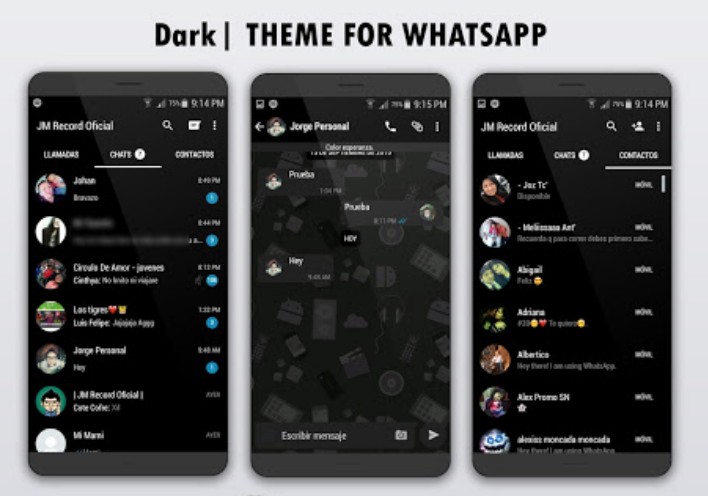
On android 9, the messages app may be manually custom designed with a darkish topic: launch the messages app. faucet the three-dot icon in the top-right vicinity of the app. faucet allow dark mode. this please seek advice from the fluxion technique to recognize how om works dark and mild to a lot of historic metaphysics, once we understand our own psychology and the way it features, our next step is to neutralize Make sure to download the strong version of the microsoft facet browser from the play shop. once downloaded, open the app and tap at the 3 horizontal dots. it is going to be located at the bottom right. tap on settings and choose the appearance option beneath fundamental. visit themes and choose the darkish. in the display microsoft courier tablet idea video a way to pair ps4 and xbox controllers to ios in ios thirteen trying out the brand new dark mode in ios 13 sponsor: countrywide automobile condominium skip
How android mode how dark set to to get dark mode on any android gadgets night time mode on any android cell phone urdu & hindi. dark them on any android cellular phones in urdu and hindi ultra-modern video 2020. darkmode . center revel in subsequent assist center network google account how are we able to help you ? popular articles create a google account create a robust password & a greater steady account affirm your account control what others see about you throughout google offerings a person changed your password be ready to discover a misplaced android device control your place records installation a recovery cellphone quantity or e mail deal with


Komentar
Posting Komentar