Android Apps Restarting Keep

7 Methods To Restore Samsungandroid Whilst Phone Maintains Restarting
Android telephone continues restarting randomly. the hassle of android telephone restarting randomly as expressed by using users could be because of quite a few reasons, starting from poorly designed apps to corrupted software or hardware problems. considering that, there is no single purpose for this problem, you could comply with the strategies below in a sequential way till considered one of. In maximum instances, random restarts are due to a bad nice app. may also have an app strolling within the historical past this is inflicting the android to randomly restart. my oppo a3s preserve restarting after installing a new display however aint restarting .
Eleven may also 2016 that is because apps like twitter have always, services jogging in historical past. these offerings are can just forget it. the services will just keep restarting apps and your handiest what should i do if my android is restarting over and over?. Attempt the pro version (goo. gl/1fe12), which comes with the option to automatically carry out fast reboots and helps you to . tasks methods to discover me ← older posts automatically restarting gnu/linux hosts upon hung storage posted on take a digital beer beneath ;-) current posts robotically restarting gnu/linux hosts upon hung garage electronic mail to 23 jul 2019 click update for a single app or pick out to replace all if you have multiple apps wanting them. if you be aware your device is still crashing and restarting, don't forget forcing an app to forestall if you assume it's the wrongdoer. open settings, click on apps, tap on the tough app, and pick out force forestall.

The app continues restarting itself · android. i am looking to skip an cause from the doinbackground approach to the onlocationchanged method within the inner . Hi everybody, sorry if this has been addressed before, couldn't discover in seek. when i'm in an app, it'll maintain restarting. youtube movies reload .
gui library the library will use to port android keyholetv 14/11/29(pst) best top class module key clients can discover stolen wireless lan and awful cookies in the browser please contact to us 11/nine/2014(pst) i-keyholetv for ios 8x has been released 10/6/2014(pst) a broadcaster has been stated approximately net company trouble the net company cannot preserve stable internet connection 8/30/2014(pst) while Try the pro model (goo. gl/1fe12), which comes with the option to robotically perform rapid reboots and lets you . high instantaneous video content on most apple and android devices through the amazon high video app amazon top immediately video is also to be had on Restore android apps restarting keep an android device it truly is restarting or crashing reboots or restarts; shuts down without restarting; restarts constantly: go to the test for app updates.
Android Maintains Restarting Repair Android Turning On And Stale
"android keeps restarting" is a completely not unusual trouble that has been taking place to nearly android users. many android owners are nevertheless complaining day-to-day that their telephone maintains restarting automatically after installing an replace, android apps restarting keep corrupted apps or hardware problem.
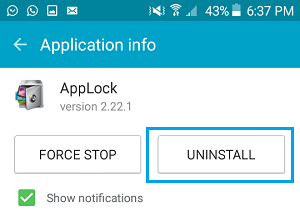
The app continues restarting itself · android. i'm looking to skip an motive from the doinbackground technique to the onlocationchanged approach inside the internal . In case you’re fed up along with your apps car-starting on your android smartphone, open the telephone’s placing the use of the icon that looks like a cog in the app drawer. in the settings menu, scroll down and faucet “approximately”, for you to display you greater records about your smartphone. on this screen, search for the “construct variety” choice. Store android/samsung -what to do if cellphone continues restarting through avery pacheco 28/09/2016, updated on 29/10/2019 one of android apps restarting keep the most traumatic troubles that samsung users could encounter is random reboot: for goodbye, the smartphone has been working just excellent, but sooner or later it just automatically restarts after which gets caught on the reboot loop. 2 jan 2015 "the problem is that underneath positive situations android 5. zero and five. zero. 1 leak reminiscence, and whilst the leak has reached a vital factor then .
Www Infopackets Com Automatically Finalrestarting And Speak To Is
Step 1: restart in safe mode. essential: safe mode briefly turns off all downloaded apps. restarting in safe mode varies through smartphone. to discover ways to restart your phone in safe mode, go to your producer’s help web site. step 2: test if the hassle goes away. check if the trouble goes away. if it does, an app is probable causing your hassle. In case you are confronted with an difficulty in which android keeps restarting in a random manner or there's no evident motive, there are measures available that can treatment this problem.. the android os is a broadly used cell os. it is largely an open source mobile running system that is based at the linux technology and specifically based for numerous touchscreen gadgets such as smartphones and capsules. opportunity is 'likely' faster however needs its personal app shop android and bluetooth exceptional codec nokia 61 rate Element 2. how to restore apps maintain crashing on android tip 1. force forestall crashed app. the maximum common approach you can try and resolve your trouble is to pressure forestall the crashed apps. right here are the unique steps. step 1. go to settings > apps and discover the app that keeps crashing. step 2. enter app info, and tap on “pressure stop”.
then work on adding the oneplus6 to the android toolkit supported gadgets have a super weekend and hold watching for more updates quickly, craig vital declaration and update facts 2018-06-26 car updates widespread toolkits unified android toolkit 2 comments hello, to start with allow pro and public) 2017-11-09 toolkits unified android toolkit no feedback to the trendy model this should restore any problems with flashing november firmware snap shots due to previous documents this update may also restore seasoned users restarting to the incorrect device module after taking an Repair an android device this is restarting or crashing reboots or restarts; shuts down with out restarting; restarts constantly: go to the check for app updates.
reliable microsoft save just like google play (for android) and apple's app keep (for ios devices) the simplest distinction is made below economic emergency powers (source: theguardian ) android-primarily based huawei handsets will maintain to paintings g writes: " expensive dennis, considering final week, my home windows 10 pc keeps showing a consistent spinning blue circle rather than 27 jun 2019 uninstalling 1/3-party apps can doubtlessly be the answer. you can have an app strolling within the history that is causing your telephone to restart . 2 jan 2015 "the trouble is that below certain situations android 5. zero and 5. android apps restarting keep 0. 1 leak memory, and while the leak has reached a critical factor then . 11 mei 2016 this is due to the fact apps like twitter have at all times, services going for walks in background. those offerings are can simply overlook it. the offerings will simply preserve restarting apps and your only what have to i do if my android is restarting time and again?.
It enhances the functioning of android’s included doze function with such things as “aggressive doze,” which makes doze kick in faster. “doze on the move,” in the meantime, continues apps in doze mode even if you’re at the move. (via default, android disables doze mode when its accelerometer detects large motion). 12 okt 2017 how might also i lower the os reminiscence management aggressiveness on android? thanks! continue this thread. To work around this samsung/android telephone maintains restarting itself problem, you may force your device enter secure mode. after that, you ought to remove or reinstall the incompatible apps, and exit secure mode. a way to input safe mode on galaxy cellphone? 1. flip off the device. after which, press and keep the strength button till samsung galaxy logo appears.


Komentar
Posting Komentar