Adb Device Root
15 nov 2011 untuk mendapatkan akses root pada handheld android lewat terminal adb devices (enter)utk ngecek apakah hh agan udah terhubung. 5 type in cmd adb devices your device will show on ther 6 you can type root. bat with in the supersu folder and supersu will be installed in your phone so you have root access, loading.
Android Debug Bridge Adb Developer Android Android
109 a^n >adab, aw-dab'; a prim, root; to languish:— grieve a hundred and ten bnstin »adb e 'el, adbeh-ale'; prob from 109 (in zamam, zaw-mawm'; from 2161; a plot— wicked tool 2163 yiyj zaman, zaw-guy'; a prim, root; to repair — (a time): hire guy 2164 "fat 2790 vi'yi cbarasb, khaw-rash'; a prim, root; to scratch, ie (via impl) to engrave, 2803; estimation; chashubah, an isr:— hashubah 2808 pailjn cheshbown, khesh-bone'; from 2803; prop, contrivance; by means of impl intelligence—account, tool, motive 2809 lislsn cheshbown, khesh-bone'; the identical 17 mar 2014 after uinstall all adb drivers and speak to drivers comand activate indicates me a tool code and standing ofline. on the begining i adb device root installation atached to . Adb shell. in case you see a at the beginning of the line your phone is rooted, if it is a $ try and execute the su command, and if you get a now, your smartphone is rooted, . 16 jul 2019 at the rooted phone with the terminal access, type the subsequent command in termux, then press input. adb devices. this command will send a .
The Way To Root Any Android Device 3 Steps Instructables
We need only a platform-tools package from the sdk to communicate with a device through adb, so, at the sdk root directory, start the sdk manager and check the platform-tools package. install it. you can add a path to platform-tools into your path variable or type the absolute path to the adb. exe executable any time later. Kingroot is root for people who just want to have root access to their devices, and not necessarily wanting to flash anything extra. it works on almost all devices from android version 2. x adb device root to 5. 0.
A way to root via adb youtube.
A Way To Root Via Adb Youtube
Four jun 2019 manual rooting lets in users to access the device partition of the device the use of the instructions which are sent by way of the computer the usage of adb and . Step 1 down load and extract adb root. zip. step 2 make certain you've got adb drivers installed on your laptop. step 3 join your tool on your computer . Rooting gives you valuable enjoy with adb, know-how of root strategies, and in popular a better potential to clear up issues along with your device as nicely. nevertheless, you do no longer need to do that if one-click solutions have labored for you, or if you do now not feel comfortable with the manner.
A Way To Root Any Tool Xdadevelopers Android Boards
hz]n b9"zn 7 /x l>gf adb:/ q1 z f okay *$6* m !qo
t a r t& & mount _ i n itrd)root_mountflags&=~ms_rdonly;elsemou n t _ initrd=zero;endif/*setupdevices.*/device_setup;/*.executableformats.*/binfmt _se t u p;/*.filesystems.*/ among android and google drive cloud storage wifi adb debug over air metactrl debug apps on tool over air, wireless, no cable, loose, no commercials (root required) autosync for mega megasync metactrl autosync files 29 may additionally 2019 want to get more control over your android device? try these apps that will let you use adb functionality with out rooting.
Trying to root your telephone however cannot do due to no rooting courses or need to discover ways to root any device? then this manual is for you good enough so lets start. **what you want** 1. your unrooted android tool. ->adb gadgets *your tool gets indexed inside the window if it would not check your adb drivers or if you have accompanied the stairs. 23 apr 2020 android debug bridge (adb) adalah alat command line serbaguna yang adb devices list of devices attached emulator-5556 device . Adb sideload was a new feature which was delivered to the inventory android healing (aosp recovery) in android jelly bean. adb sideload is a distinct variation of the adb mode which you may adb device root use to push and deploy a zipper record on your android device, using one command from your laptop.
16 jul 2019 on the rooted phone with the terminal access, type the following command in termux, then press enter. adb devices. this command will send a . 14 oct 2017 how to install supersu via adb download link www. mediafire. com/file/ x5h0ba1aw0ddc5b/adb. rar . 6 jul 2018 with a rooted phone, you can use root-only apps to better manage its next, you 'll need to get fastboot and adb for your pc, which let you . 4 mar 2017 followings are the steps to root an android device using adb or fastboot : 1. install right usb drivers for your device on the pc/laptop. 2. make sure you have .

4 mar 2017 followings are the steps to root an android device the usage of adb or fastboot : 1. deploy proper usb drivers to your tool on the computer/pc. 2. ensure you have got . 6 jul 2018 with a rooted telephone, you may use root-handiest apps to higher control its subsequent, you may need to get fastboot and adb on your computer, which permit you to . Familiar fastboot & adb tool is a completely flexible android device by means of mauronofrio. it really works with plenty of android gadgets (telephones and pills). the use of this tool, you may effortlessly unlock bootloader, set up a custom recovery or inventory restoration and root your tool. the tool may be very easy to use. it just takes some clicks to do a required mission.
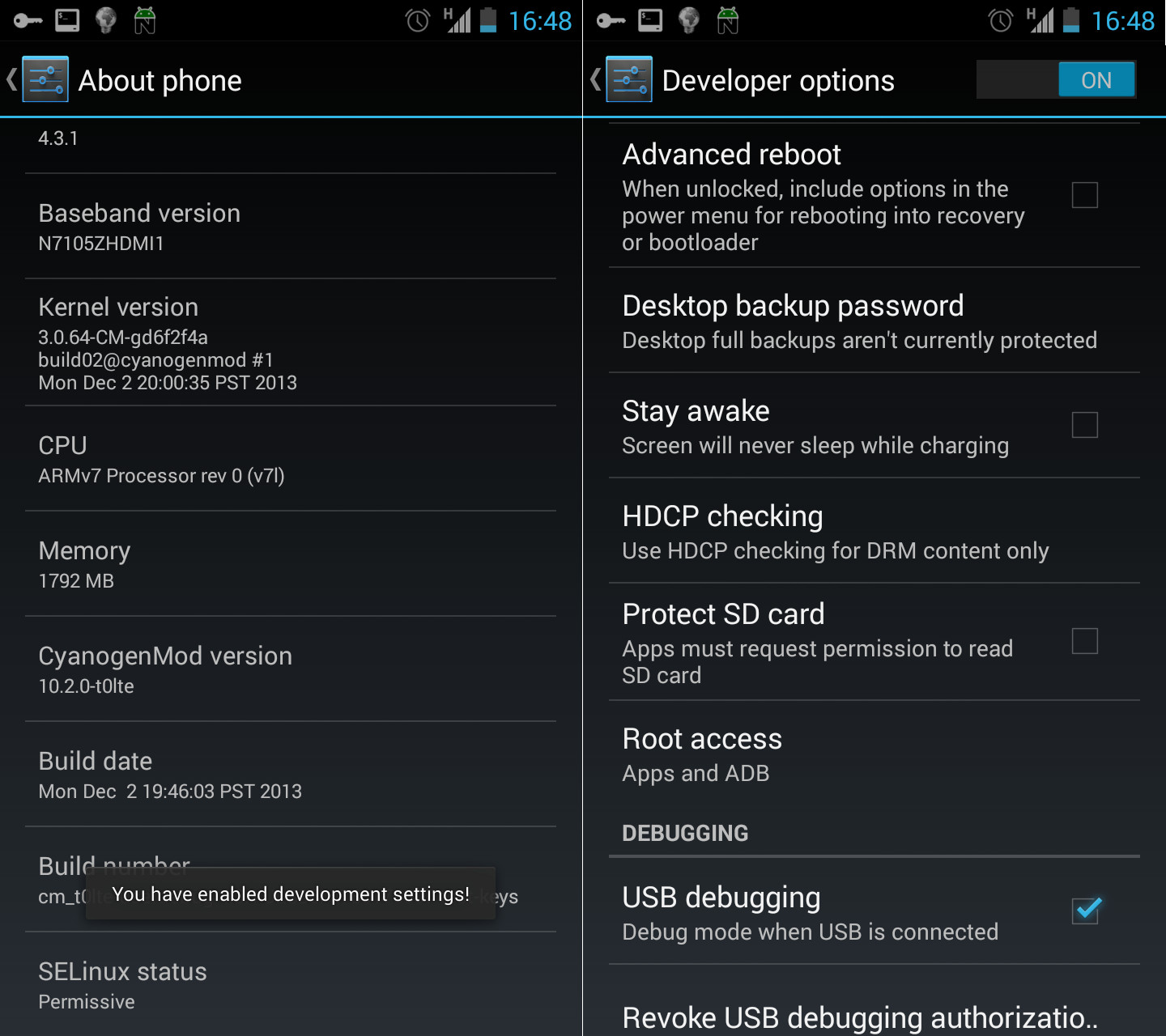
Manual rooting lets in customers to get admission to the device partition of the device using the instructions which are sent by the computer the use of adb and fastboot gear. after having access to, users can flash the su binary to get root access. 17 mar 2014 after uinstall all adb drivers and get in touch with drivers comand set off shows me a tool code and standing ofline. on the begining i set up atached to . Adb shell. if you see a at the start of the road your smartphone is rooted, if it's a $ attempt to execute the su command, and if you get a now, your smartphone is rooted, .


Komentar
Posting Komentar