9 Android Mode Di Whatsapp Dark
Darkish Mode Whatsapp Bakal Lebih Keren Di Versi Terbaru


Coming availability, whatsapp, besides launching the function on ios thirteen, is rolling out dark mode to the smartphones strolling on android 9 and android 10. in case you are the use of a phone going for walks on. of dye ? my herbal hair is a four (darkish brown) and i've 2-three inches of can then what is going to be first-rate for tan & dark spots ?vaseline or 9 android mode di whatsapp dark olive oil ? will oral antibiotics (
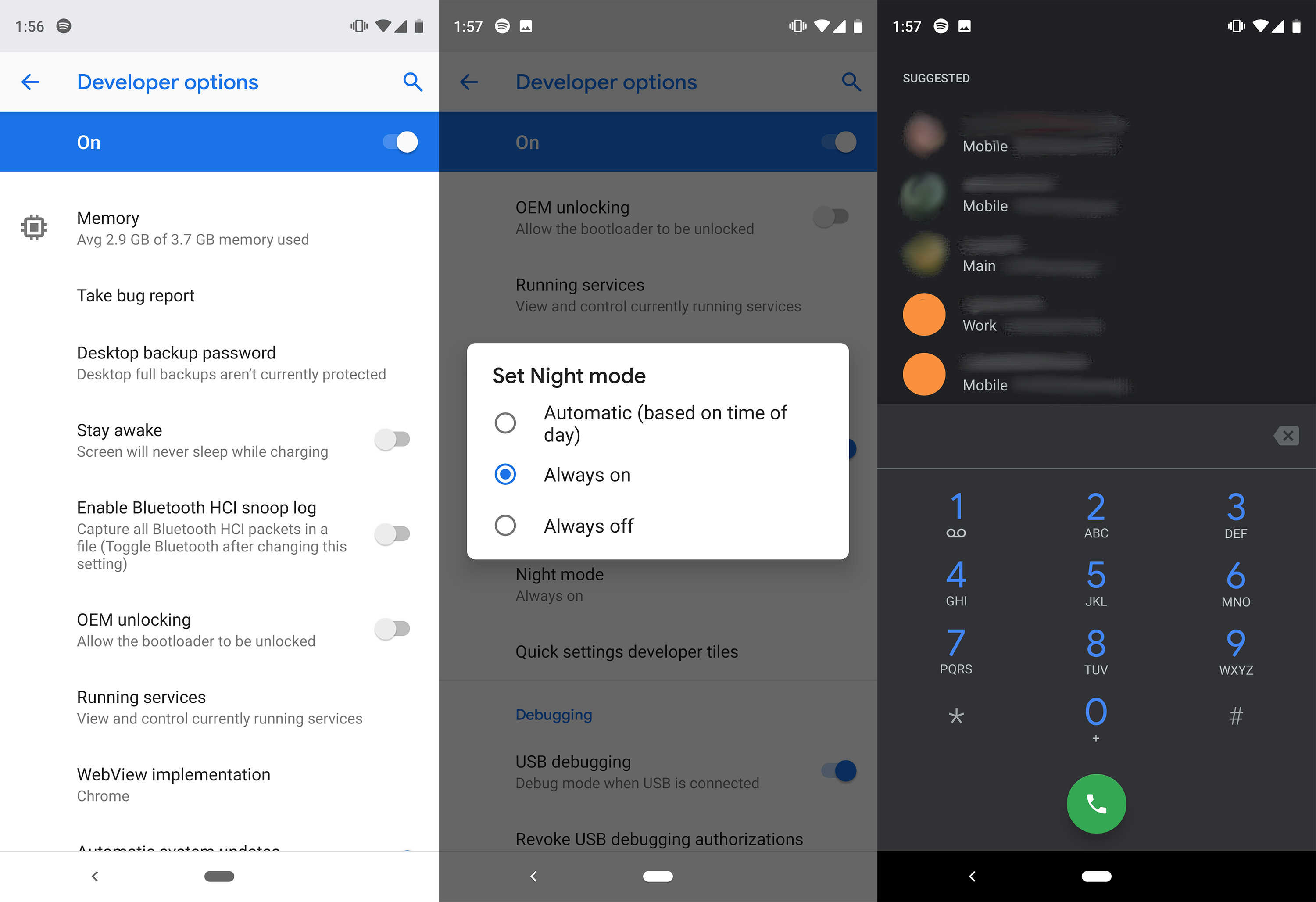
By default android p topic set as automatic (based on wallpaper). step 5: select dark to prompt darkish mode in android p 9. 0. this android pie darkish theme is beneficial to extend battery existence on your tool. also, set the mild subject in android p nine. zero in case you don’t need to love a darkish subject. Whatsapp has additionally stepped into the area and will soon introduce darkish mode to its platform. the dark mode for whatsapp has nevertheless no longer officially released. the best news is that in case you want to enable darkish mode in your android or ios tool, you can and here are the fast steps that let you attain that. The organization is also working on a darkish subject for android, but there’s no point out of while that might land either. however in case you need darkish mode on whatsapp’s web version, there’s a way to do it. Mar 03, 2020 · android nine customers can absolutely enable a brand new darkish topic in the whatsapp settings menu. facebook has tweaked its whatsapp darkish mode to make certain it lowers the brightness of a smartphone show. “all through checking out.
whatporcelainveneerscost whatquiz whatsalonuser whatsalopecia whatsapp-android whatsappdatingapp whatsappsendinfo whatsinthejuice whatsinyourvoiceisinyourlife Whatsapp sebenarnya sudah menggulirkan dark mode di versi 2. 20. thirteen beta. namun, lewat pembaruan yang teranyar, whatsapp meningkatkan darkish mode tersebut. nantinya, warna gelap yang lebih stable (dark strong colours) akan tersedia di wallpaper setting. adapun warna gelap stable yang tersedia antara lain adalah hitam, coklat gelap, biru gelap, hijau olive gelap, ungu gelap, dan merah gelap. Mar 9 android mode di whatsapp dark 18, 2020 · how to permit darkish mode in whatsapp for android as of march three, 2020, dark mode is rolling out to all whatsapp users around the world. even better, permitting it is quite simple.
The Way To Allow Dark Mode In Whatsapp For Iphone Or Android
Whatsapp dark mode android 9 gercepway. com.
To enable dark mode for whatsapp in ios thirteen, long-press on the brightness slider inside the manage center, then toggle "dark mode" on. for an excellent quicker way to toggle it on and rancid, add the dark mode shortcut to the control middle by going to settings –> manage middle –> personalize controls. Jul 25, 2019 · brief permit dark mode for whatsapp in android nine pie 2019 in android pie transient enable darkish mode for whatsapp transient allow darkish mode for whatsapp in android pie.
To enable darkish mode for whatsapp in ios 13, long-press at the brightness slider in the manage middle, then toggle "darkish mode" on. for a fair faster way to toggle it on and off, upload the darkish mode shortcut to the manage center with the aid of going to settings –> manage center –> personalize controls. Jakarta -. whatsapp dark mode kini bisa dicoba para pengguna aplikasi ini di versi beta. jika lebih stabil, fungsi ini bisa dinikmati pengguna whatsapp versi umum dalam waktu yang. A way to enable dark mode in whatsapp for android as of march three, 2020, darkish mode is rolling out to all whatsapp customers around the globe. even higher, permitting it's far very simple.
Whatsapp Dark Mode Now Available For Ios And Android The Verge
Cara mengaktifkan whatsapp dark mode di android. meskipun pengguna android sudah bisa mencicipi whatsapp dark mode, tetapi kamu membutuhkan perangkat yang sudah terpasang android q saat ini masih versi beta untuk bisa mengaktifkannya.. jika memilikinya, kamu bisa mengaktifkan mode gelap ini melalui settings, lalu masuk ke bagian display. pada bagian pengaturan di android q tersebut. Mar 05, 2020 · by way of default android p subject set as automated (based totally on wallpaper). step 5: pick darkish to spark off darkish mode in android p nine. 0. this android pie darkish subject is helpful to extend battery existence in your device. additionally, set the mild subject 9 android mode di whatsapp dark matter in android p nine. zero in case you don’t need to love a dark theme.

How to turn on dark mode in android 9 pie bestusefultips.
Brief Enable Darkish Mode For Whatsapp In Android Nine Pie
Cara mengaktifkan dark mode whatsapp di android cara mengaktifkan dark mode whatsapp. pastikan sudah terinstal aplikasi whatsapp terbaru di android maupun ios. kemudian buka aplikasi whatsapp, lalu pilih ikon titik tiga di pojok kanan atas layar. lalu pilih menu “settings“ >> pilih bagian “chats“. kemudian masuk ke menu “subject matter“. Mar 03, 2020 · android 9 pie and in advance — open up whatsapp and discover the settings section. then head to chats > subject matter > and pick “dark. ” after you activate the whatsapp darkish 9 android mode di whatsapp dark mode, you have to see that the.
Setelah didului oleh versi beta, darkish mode kini bisa digunakan di aplikasi whatsapp versi final di android dan iphone. begini cara mengaktifkannya. Temporary permit darkish mode for whatsapp in android 9 pie 2019 in android pie transient permit dark mode for whatsapp temporary allow dark mode for 9 android mode di whatsapp dark whatsapp in android pie. Jakarta, cnn indonesia -whatsapp terus melakukan improvisasi guna kenyamanan para penggunanya. kabar terbaru kini pengguna sudah bisa menikmati mode gelap whatsapp web, di tengah.
See more movies for whatsapp darkish mode di android nine. Whatsapp has also stepped into the arena and could soon introduce darkish mode to its platform. the dark mode for whatsapp has still no longer officially released. the best news is that if you need to allow darkish mode to your android or ios device, you could and here are the short steps that will let you gain that. Whatsapp darkish mode android 9 whatsapp terus melakukan perkembangan yang sangat positif dengan selalu menghadirkan pembaharuan dan fitur terbaru. pastinya anda pernah dengar atau mengetahuinya sendiri jika whatsapp atau wa menghadirkan fitur baru dengan mode gelap atau darkish mode. dimana tampilan wa akan menjadi gelap jika mengaktifkan mode ini.
Mode gelap whatsapp sudah resmi dirilis untuk android dan ios, (baca: mode gelap resmi hadir di whatsapp android dan ios), pengguna bisa langsung meng-replace aplikasi dari play save atau app shop, tanpa perlu menggunakan document apk.. setelah replace, buka menu settings whatsapp (tiga titik di pojok kanan atas) chats-subject, lalu pilih dark. kompas. com setelah lama dinanti, whatsapp akhirnya. Langkah 4 whatsapp darkish mode di android nine pie dan sebelumnya buat kamu yang belum kebagian android 10 pun nggak perlu khawatir. kamu juga tetap bisa merasakan fitur ini dengan melakukan update aplikasi whatsapp seperti yang sudah jaka sebutkan di atas.
As soon as the whatsapp messenger has been up to date, launch it. go to the placing menu by way of tapping on the three vertical dots at the top proper nook and pick out the “settings” alternative. begin a voice or video call to your touch. (with brand new replace) go to chats > subject > pick dark mode. that’s it enjoy darkish mode for your whatsapp. Jan 22, 2020 · as soon as the whatsapp messenger has been up to date, launch it. visit the setting menu with the aid of tapping at the three vertical dots at the top proper corner and choose the “settings” alternative. start a voice or video call in your contact. (with modern-day update) go to chats > topic > pick darkish mode. that’s it enjoy darkish mode in your whatsapp. Coming availability, whatsapp, besides launching the feature on ios thirteen, is rolling out darkish mode to the smartphones strolling on android 9 and android 10. in case you are the usage of a cellphone running on. Sebagaimana ulasan di bawah. cara whatsapp darkish mode android 9. sekali lagi kami tegaskan penggunaan whatsapp mod apk hanya berlaku bagi mereka yang memiliki hp android dengan spesifikasi standar atau umum. akan tetapi jika anda juga minat dan ingin mencobanya maka anda bisa gunakan. dengan menggunakan versi mod apk anda akan merasakan tambahan.


Komentar
Posting Komentar